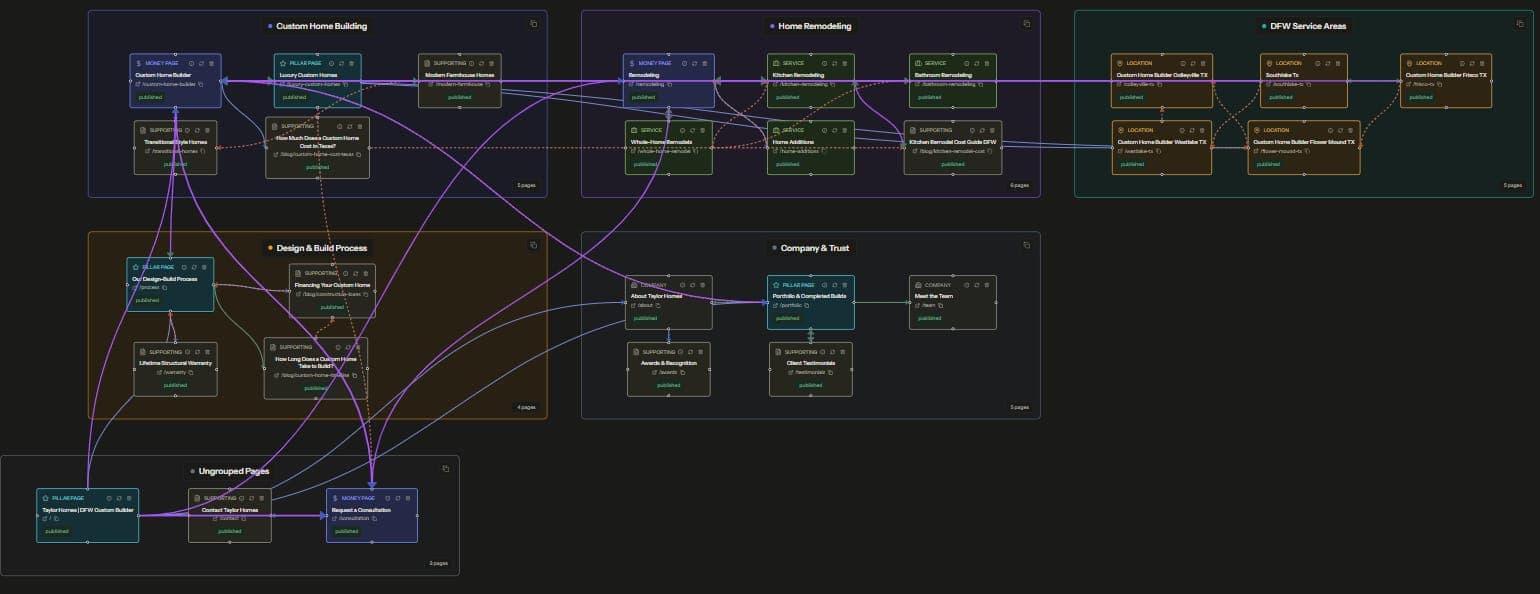
Content mapping is planning the pages a site needs before writing them, organized into topic clusters, each with a pillar page and a set of supporting posts. Done fully, the map specifies one more thing almost everyone leaves out, the internal links. Every source, target, and anchor gets decided before a word of content is drafted.
That last step is the difference between a cluster strategy and a list of blog titles. Plenty of guides cover cluster theory, and plenty cover internal linking, and almost none connect the two into an executable plan. This post closes that gap with the exact process we use to plan our own blog.
What Is Content Mapping in SEO?
A content map is an inventory of the pages a site has and the pages it needs, arranged by topic and search intent. Each topic becomes a cluster. The cluster's pillar page targets the broad head query, and its supporting posts each target one narrower subintent, a specific question, comparison, or task.
The clusters only function when the pages link to each other. Supporting posts link up to the pillar, the pillar links down to its supports, and related supports link across. Those links tell search engines which pages belong together and which page is the authority for the head term. The mechanics of why this works are in our complete guide to internal linking strategy, so this post takes them as given.
The keyword research layer of content mapping is well covered elsewhere. What follows focuses on the part with almost no coverage, how to turn a planned cluster into a planned link graph.
The Step Most Cluster Strategies Skip
Standard cluster advice ends with the instruction "then interlink the cluster." In practice that sentence hides all the work. Which posts link to which? With what anchors? What happens when half the cluster is published and half is still drafts?
Left unplanned, the linking happens after publishing, badly. Each new post ships with zero inbound links and whatever outbound links the writer improvised. Six months later the pillar has 3 inbound links from a 12-post cluster, two posts compete for the same query, and someone gets assigned a retrofit project. We have audited enough sites to say this is the default outcome, and it wipes out most of the reason clusters work.
The fix costs a spreadsheet and an afternoon. Plan the links when you plan the posts, so linking becomes part of each post's definition of done instead of a cleanup job.
Step 1: Plan the Cluster From Competitor Section Outlines
Keyword tools tell you which queries have volume. They do not tell you what a page must cover to satisfy each query, and coverage decides both your outlines and your cluster boundaries. The fastest source of that information is the pages already ranking.
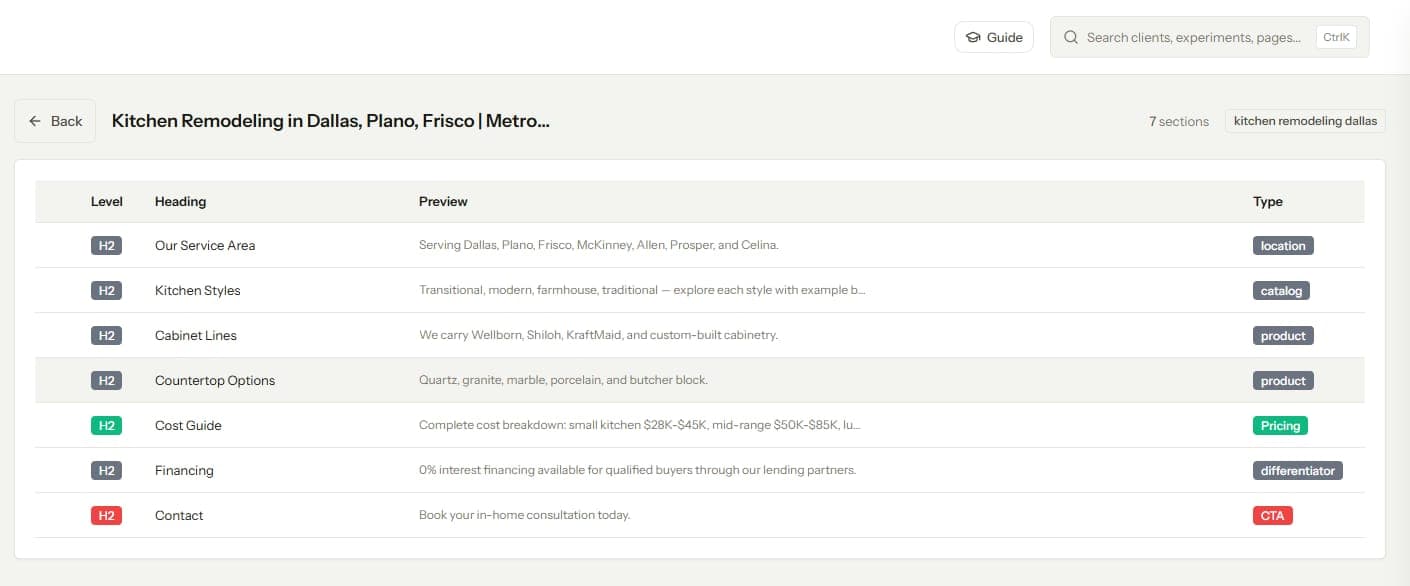
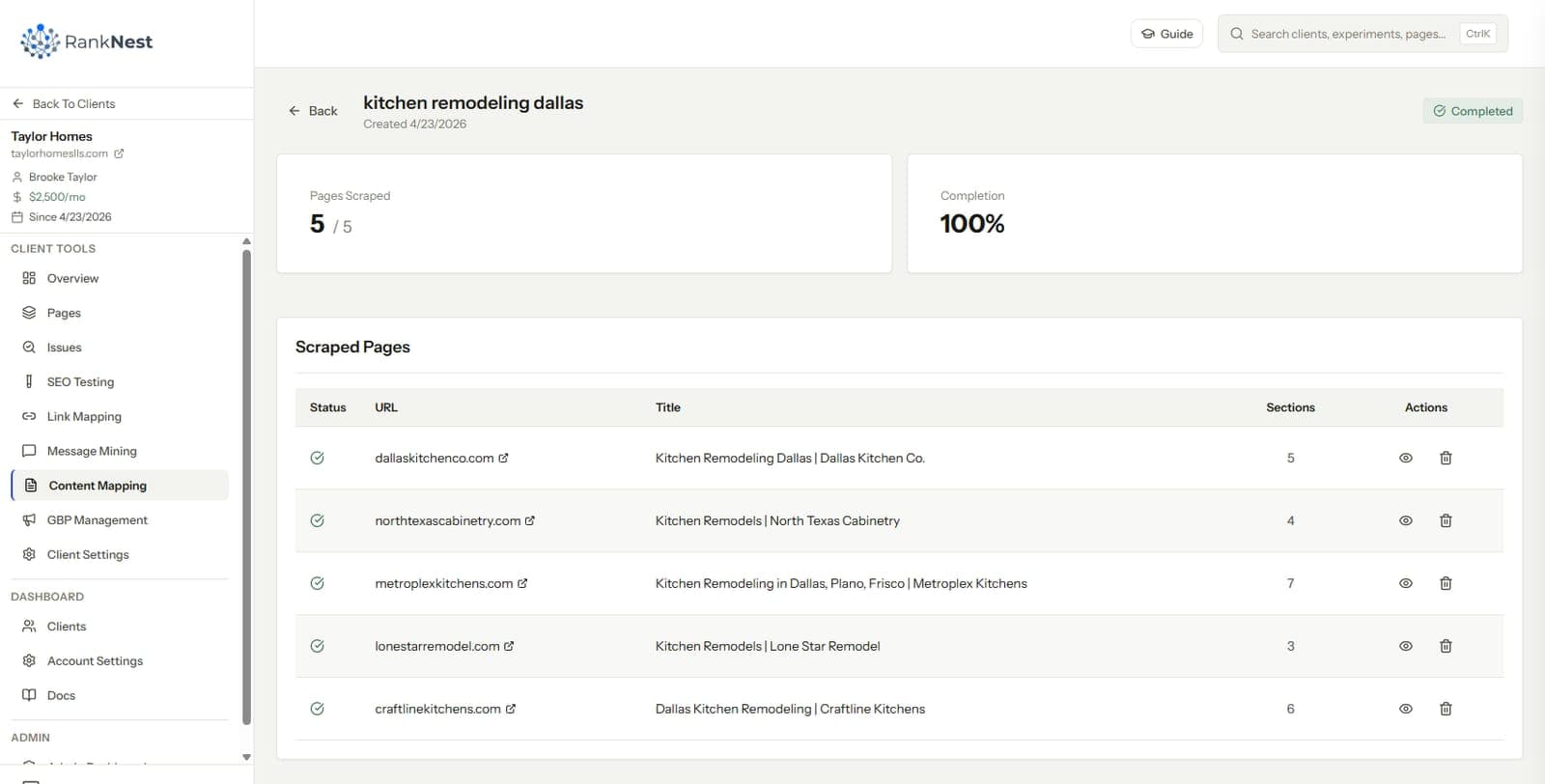
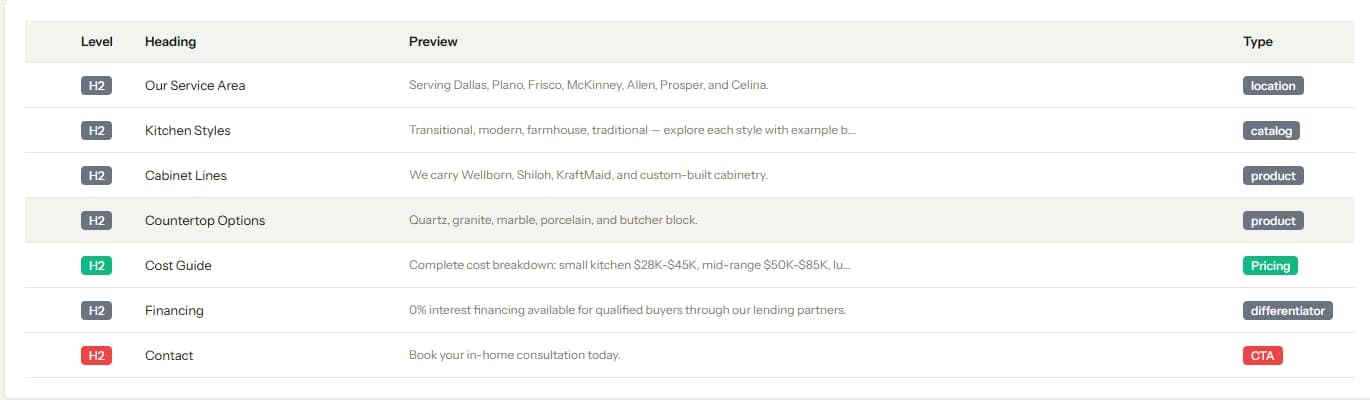
Pull the top handful of ranking pages for the head query and for each candidate subtopic, then extract every heading and section length from each.
Laid side by side, the outlines show you three things. The subtopics every ranking page covers, which your pillar must include. The subtopics that keep appearing as full standalone pages, which deserve their own supporting posts. And the questions nobody answers well, which are your openings.
Doing this by hand means opening 30 tabs and copying headings into a sheet. We built a section scraper into RankNest for exactly this step, the content mapping feature batch-scrapes competitor pages and returns every heading, section, and word count as a clean outline. Either way, the output is the same, an evidence-based list of what the cluster needs to contain.
The dividing rule we use is simple. If a subtopic shows up as a full page in the SERP, it becomes a supporting post. If it only ever appears as a section inside broader pages, it becomes a section of the pillar.
Step 2: Choose the Pillar and the Supporting Pages
The pillar targets the broadest commercial or informational head term the cluster can plausibly win. It should be the most complete page on the topic, the one every support can point to without stretching. Supports each own one subintent, and no two supports should target queries close enough to compete.
Decide the cluster's shape at the same time. Tight clusters that link inward and connect to other clusters only through pillars behave like silos. Looser cross-linking behaves like a flat architecture.
Both are legitimate, and the tradeoffs depend on site size and topical spread, which we compared in silo versus flat architecture. Pick one on purpose, because the linking plan you are about to write encodes the choice.
Step 3: Write the Linking Plan Before the Content
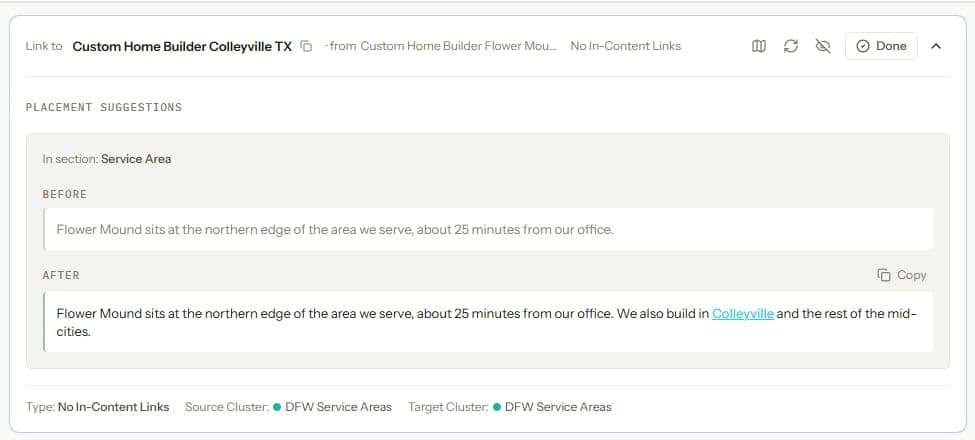
This is the heart of the method. Before any drafting, build a table with one row per planned post. Each row carries the post's working title, target query, planned publish date, the specific existing and planned pages it will link out to, and the posts that will later link in to it.
Three rules make the table work.
- Every post links up to its pillar, and the pillar links to every support. No exceptions, this is the cluster's skeleton.
- Posts only link to pages that will already be published on their publish date. Sequencing the plan this way means no post ever ships pointing at a draft.
- Anchors get drafted in the plan, varied across sources. Planning anchors up front is the only reliable way to avoid ten posts using the identical phrase, a problem covered in our internal link mapping guide under cannibal clusters.
The rows for later posts will list inbound links from earlier posts that do not exist yet. That is the point. Those pending rows become the retrofit checklist in step 4.
How we plan our own blog
This blog runs on the method described here. The current content push was mapped as a full cluster before anything was written. Every post's required internal links were listed in the planning brief, and the publish order was arranged so each post only references pieces already live. The post you are reading was written from a brief that specified its links before the draft existed.
The practical effect is that no post on this blog has ever launched as an orphan. Inbound links from earlier posts get added the week a new post goes live, because they were on the plan from day one. None of this took special tooling to decide, just the discipline of writing the link plan first.
Step 4: Retrofit Links as New Posts Publish
A cluster builds over weeks or months, so early posts publish before their future link targets exist. The linking plan already knows which links are pending. Turning that into practice takes one recurring step.
When a new post goes live, open its row in the plan and work the checklist.
- Add the planned outbound links from the new post, they should already be in the draft
- Go back to each earlier post listed as a future source and add its planned link to the new post
- Confirm the pillar now links to the new support
- Mark the row done, with the date
This is a 20-minute task per post when planned, and a multi-day archaeology project when not. The difference is entirely in whether the pending links were written down at planning time.
Step 5: Verify the Built Structure Matches the Plan
Plans drift. A writer forgets a link, an editor cuts a paragraph containing one, a URL changes. Once a quarter, crawl the site and compare the actual link graph against the planned one.
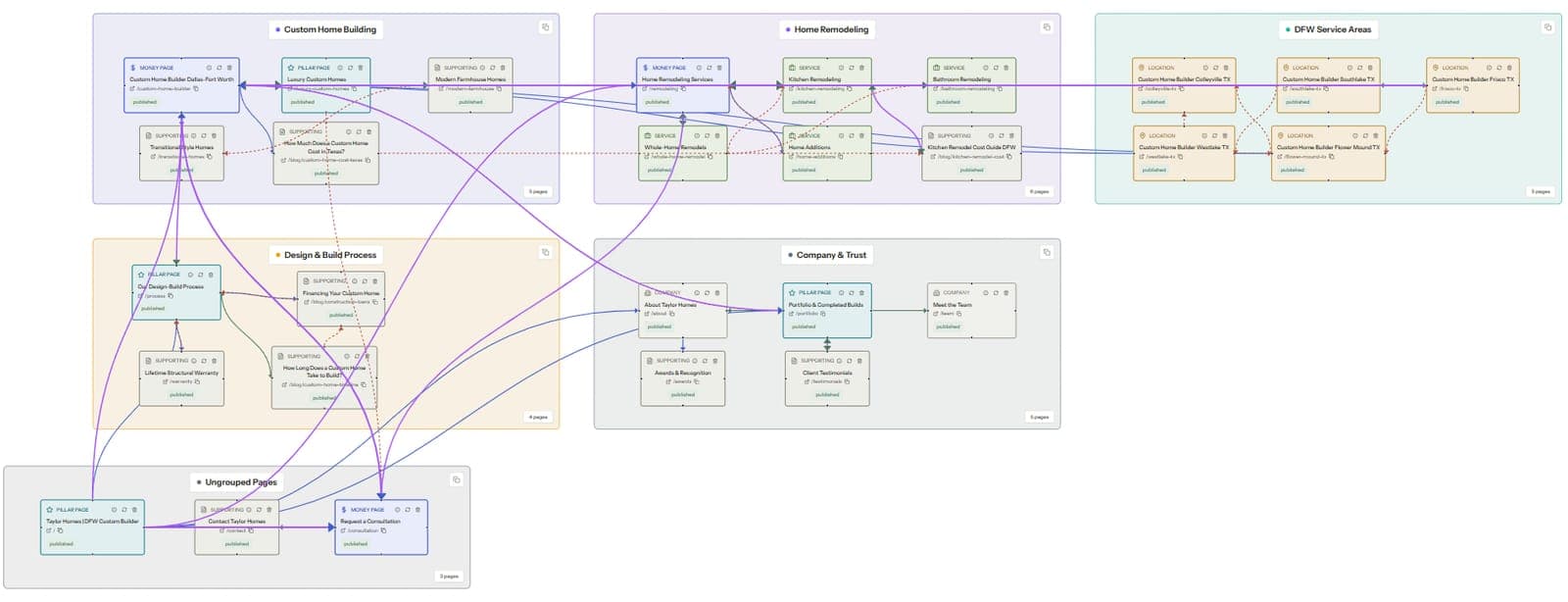
A visual map makes the comparison fast. A cluster that built correctly appears as a tight group around its pillar, and any post that shipped without its inbound links stands out as a thin node. The full workflow for building and reading that graph is in our internal link mapping guide, and a node-based link map that stays current with each crawl reduces the check to minutes. What you are verifying is simple, does the site you built match the cluster you designed.
Step 6: Measure Whether the Cluster Links Work
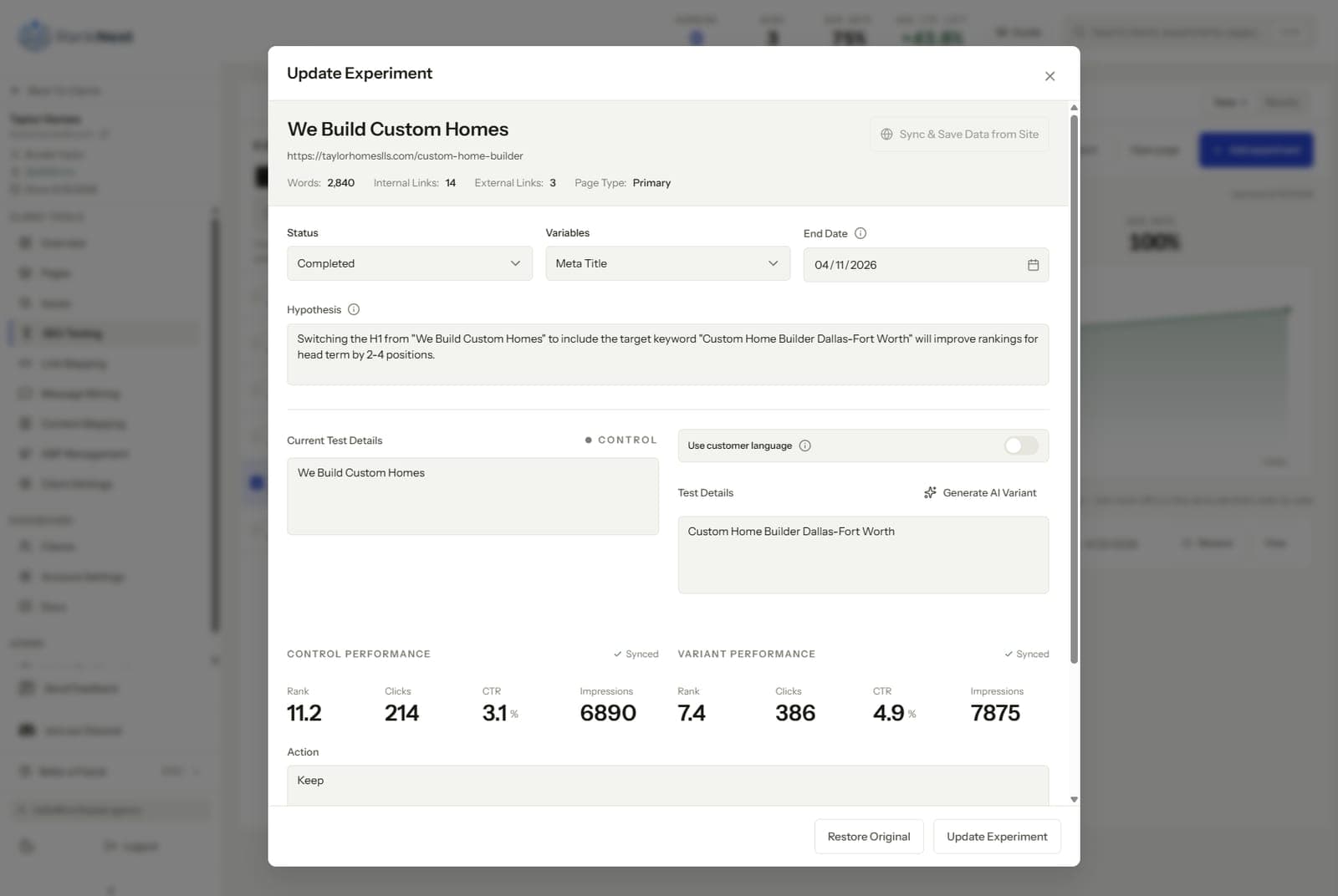
A planned cluster gives you an unusually clean measurement setup, because you know the exact dates links were added to each page. That turns cluster building into a series of natural experiments. Freeze a baseline for the pillar before the retrofit batch lands, then watch position and impressions over the following weeks.
We wrote a full framework for this in how to test internal links with before-and-after experiments. Clusters planned link-first feed it perfectly, since every retrofit batch from step 4 is a dated, documented change to one target page. Over a few clusters you accumulate real evidence about what linking discipline earns, which is a better argument for the method than any theory.
FAQ
What is content mapping in SEO?
Content mapping is planning a site's pages by topic and search intent before writing them, usually organized into clusters with a pillar page and supporting posts. A complete content map also specifies the internal links between the pages, including sources, targets, and anchors. It turns content strategy from a list of titles into a buildable structure.
What is the difference between a content map and a topic cluster?
A topic cluster is one group of related pages, a pillar plus its supporting posts. A content map is the wider plan, covering all clusters, the existing pages they connect to, and the links between everything. One content map typically contains several topic clusters.
Should internal links be planned before or after writing content?
Before. Planning links first means every post ships with its outbound links in the draft and its inbound links queued from already-published pages, so nothing launches as an orphan. Linking after publishing is how clusters end up with under-linked pillars and a retrofit backlog.
How many supporting posts does a pillar page need?
Let the SERP decide instead of picking a number. Each subtopic that ranks as a standalone page in search results deserves its own supporting post, and subtopics that only appear as sections within broader pages belong inside the pillar. Real clusters commonly land anywhere from 4 to 20 supports depending on the topic's breadth.
Do topic clusters actually improve rankings?
Clusters concentrate topical coverage and internal authority on a pillar page, and search engines reward both. The mechanism is the links though, so an unlinked cluster is just adjacent content. Because planned clusters produce dated link changes, you can measure the effect yourself with before-and-after testing rather than taking the theory on faith.