
Yes, you can test internal links, though rarely as a classic A/B split. The practical method is a time-based before-and-after experiment. You freeze a Google Search Console baseline for a target page, add internal links to it from related pages in a single batch, and measure the change in position, impressions, and clicks over the following weeks. If you want a tool that runs those Search Console tests alongside link mapping, audits, and a client workspace, see how RankNest compares to SEOTesting.
Internal links might be the single most testable change in SEO. They cost nothing, ship without a developer, reverse in minutes, and point at one measurable target page. This post lays out the full framework, what results tend to look like, and the attribution caveats that keep the results honest.
Can You Really A/B Test Internal Links?
The phrase "A/B test" needs unpacking first, because strict SEO split testing and practical link testing are different animals. A true split test divides a large set of similar pages into control and variant groups, applies the change to the variant group only, and compares the two groups over the same time period. That design controls for seasonality and algorithm updates, and it needs hundreds to thousands of template pages to work.
If you run a big e-commerce site, you can genuinely split test linking rules, for example changing the related-products module on half of all category pages. Almost nobody else has the page volume. A local service client with 60 pages cannot fill a control bucket, and neither can most blogs.
The alternative is time-based testing, where the page is its own control. You compare the page's performance after the change against its own baseline before the change. It trades some statistical rigor for universal applicability, and with careful windows and annotations it produces evidence strong enough to act on. We cover both designs, and when each applies, in our complete guide to SEO testing for agencies.
So the honest answer to the title question has two parts. Split testing internal links is possible on large templated sites. Before-and-after testing of internal links is possible on almost any site, and that is the framework the rest of this post builds.
Why Internal Links Are Unusually Good Test Material
Most SEO changes make awkward experiments. A content rewrite changes a hundred variables at once. A site migration is a one-way door. Internal link changes have five properties that make them clean test material.
- You control them completely. No outreach, no third parties, no waiting on another site.
- They ship in minutes through the CMS, with no dev queue.
- They are reversible. If a test goes wrong, remove the links and the site returns to its prior state.
- They are dateable. A batch of links added on one day gives the experiment a clean start line.
- They focus on a single target page, which gives you one clear place to measure.
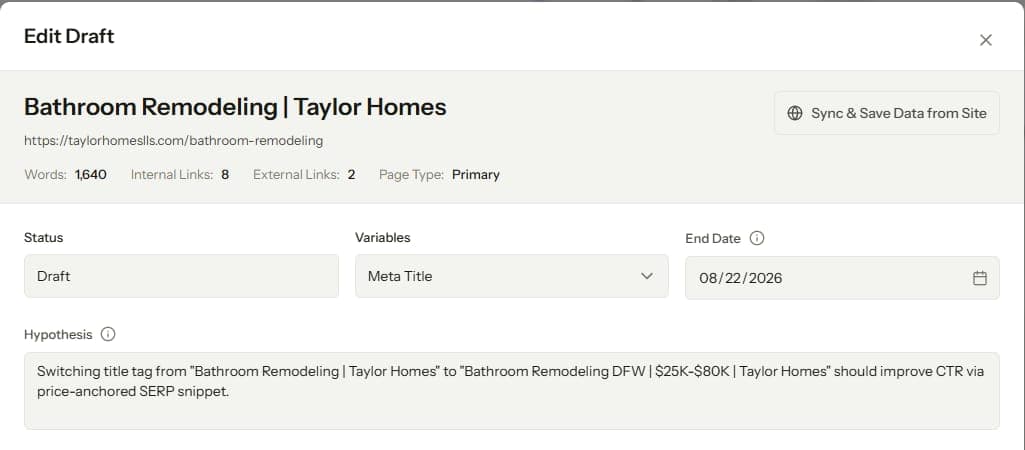
Compare that with title tag tests, the other favorite for quick experiments. Both are fast and cheap, and both belong in your rotation of SEO test ideas for client sites. The difference is that link tests also strengthen site structure permanently, so even a test with a flat result usually leaves the site better than it found it.
The Framework: Designing an Internal Link Test
Five steps, and the order matters.
Step 1: Pick the target page
The best target pages share three traits. They rank between positions 4 and 15 for queries with real volume, where a small push changes clicks meaningfully. They have a stable performance history, since a page bouncing between positions 6 and 30 has no usable baseline. And they are under-linked relative to their topic cluster, which is what leaves room for the test to work.
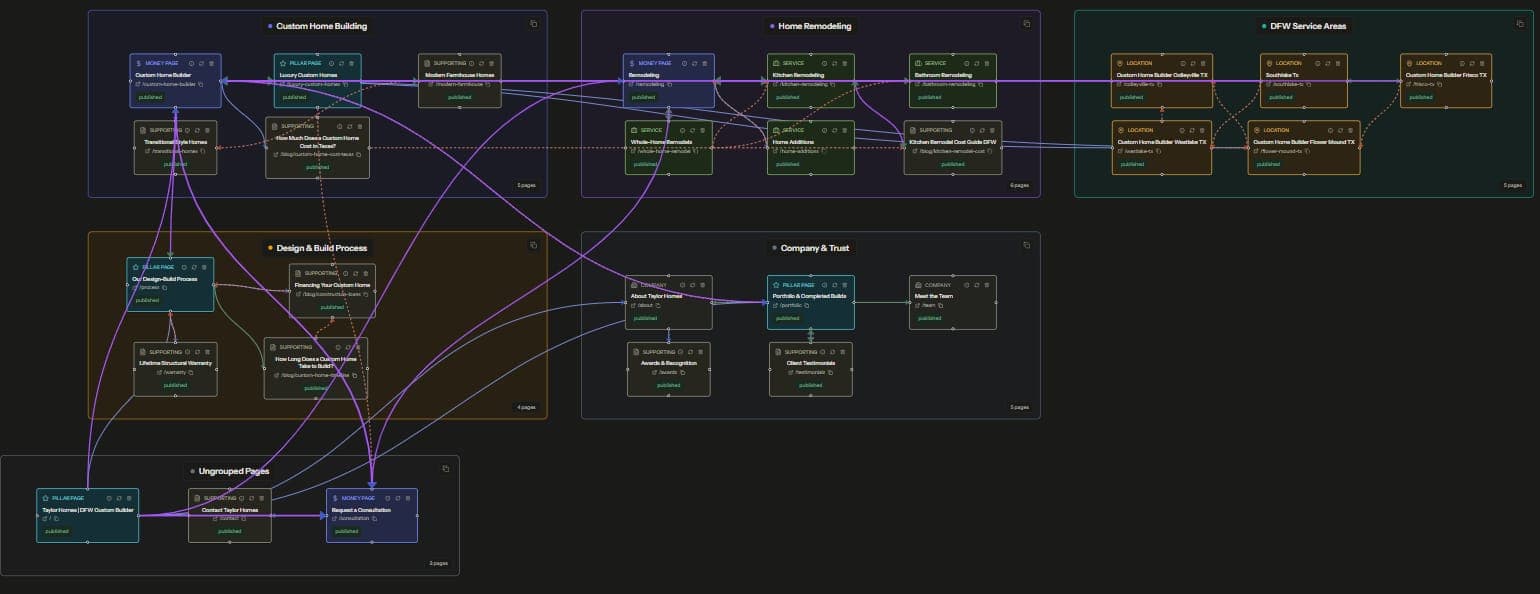
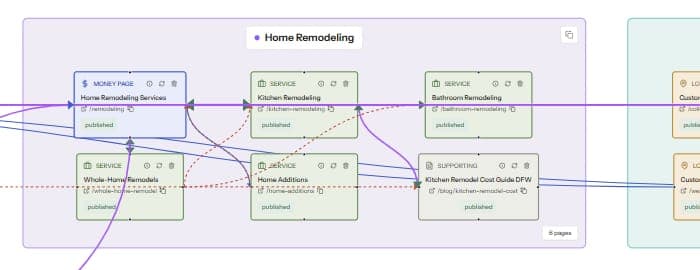
Finding under-linked pages by eyeballing a crawl export is slow. A visual link graph shows them immediately as thin nodes sitting near a well-connected cluster. If you have never mapped a site this way, our internal link mapping guide walks through building and reading one.
Skip pages that already have dozens of strong inbound links. Moving a page from 2 inbound links to 8 is a real change in how the site signals that page. Moving from 40 to 46 is noise, and the test will read as a null result regardless of what links do.
Step 2: Freeze the baseline
Pull 28 to 90 days of GSC data for the target page before touching anything. Record average position, impressions, and clicks for the page, and note the same numbers for the 3 to 5 specific queries you care about. Query-level position is the sharpest metric here, page-level averages blur across queries and hide real movement.
Timing matters as much as duration. Avoid starting a test during a known seasonal swing for that client, and never start one while a confirmed algorithm update is rolling out. The baseline is the control group in this design, so a distorted baseline poisons the whole experiment.
Step 3: Choose source pages and write the anchors
Select 3 to 6 source pages from the same topic cluster as the target. Good sources already mention the target's topic somewhere in the body, carry some inbound authority of their own, and get crawled regularly. A link from a page Google rarely revisits can take weeks longer to register.
Place each link inside a relevant paragraph, where the surrounding sentences are about the target's topic. Then vary the anchors. Use the target's main phrase once, and write the rest as natural descriptive variants, since repeating one exact anchor from every source looks mechanical to readers and to Google alike. Our post on anchor text best practices covers the variation patterns in detail.
Step 4: Ship the batch in one day and annotate it
Add all the links on a single day and record the date. A batch dribbled out over three weeks has no start line, and without a start line there is no before and after. Then leave the target page alone for the full measurement window, no content edits, no title changes, no other new links.
That discipline is the hard part in practice. Sites are living things, clients request edits, and a colleague refreshing the target page mid-test quietly destroys the experiment. Whoever runs the test should own a change log for the target page during the window.
Step 5: Measure the delta
Expect nothing at first. The links only start working after Google recrawls the source pages and reprocesses the graph, which commonly takes 1 to 3 weeks depending on crawl frequency. Measure over a 4 to 8 week window after shipping, and compare against the baseline you froze in step 2.
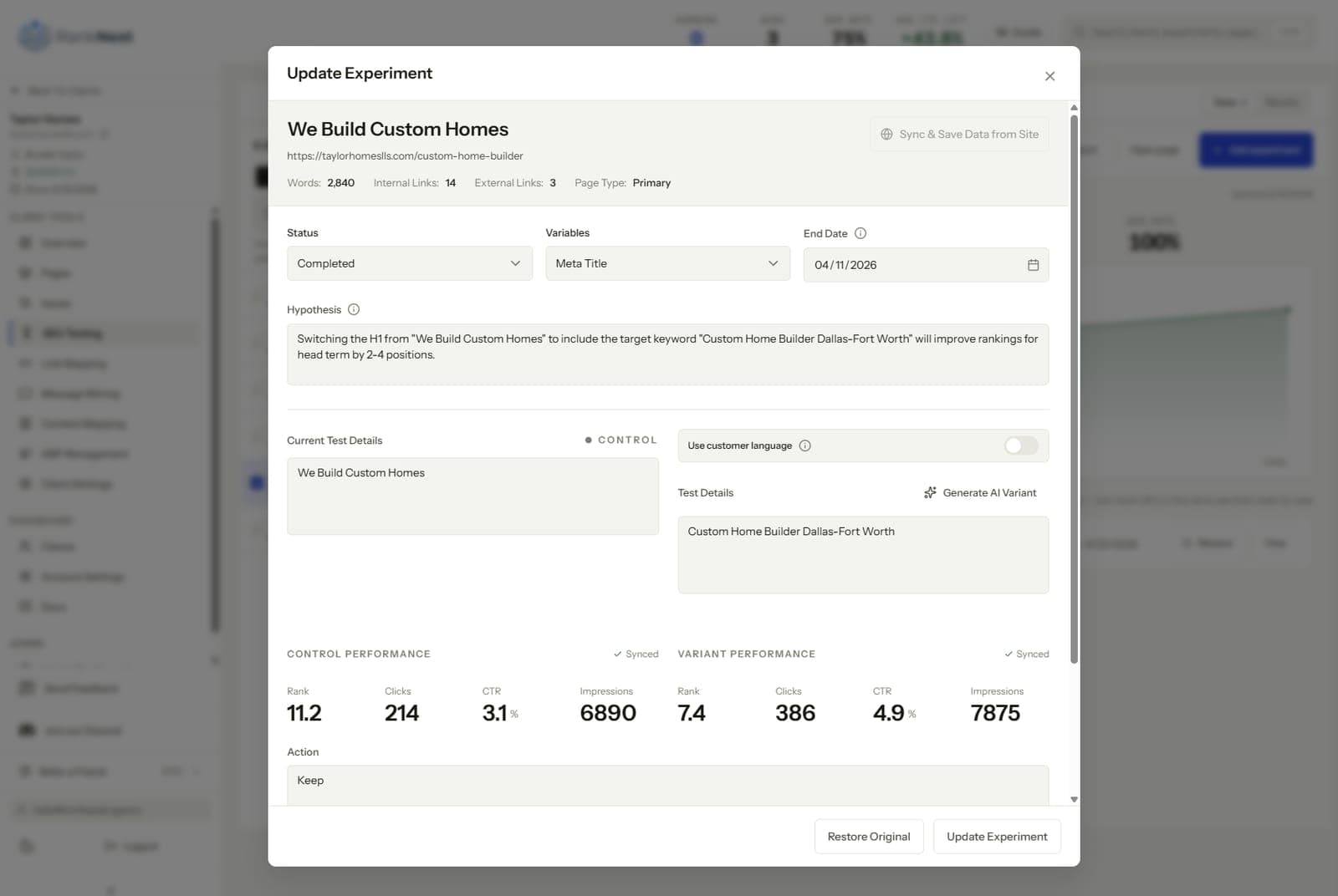
Read three numbers in order. Query-level position on your tracked queries is the primary outcome. Impressions on the target page often move first, since ranking gains on new or peripheral queries show up there before clicks follow. Clicks are the number the client cares about, and the slowest to respond.
What Results From Internal Link Tests Typically Look Like
We will not put fake percentages on this, so here is the honest qualitative picture.
A well-designed test on a genuinely under-linked target, with sources from the right cluster, tends to show position improvement on tracked queries within the measurement window. The movement shows most visibly on pages that started on lower page one or upper page two. Impressions usually rise before clicks do. The size of the move scales with how under-linked the page was at the start.
A meaningful share of tests show nothing. That is a result, and a useful one. A flat outcome on a clean test tells you internal authority was never that page's constraint, and the constraint is content quality, intent mismatch, or competition. You just learned where the next month of effort should go, for the cost of a few CMS edits.
Occasionally a test coincides with a drop. Almost always the log shows a confound, an update, a seasonal dip, or someone editing the page mid-window. Genuine harm from adding a handful of relevant internal links is rare, and reversibility means the exit costs nothing.
Honest Caveats About Attribution
Before-and-after testing has real limits, and pretending otherwise ruins the trust the method is supposed to build. Keep these five in view.
- Algorithm updates during the window can swamp your change. If a confirmed update lands mid-test, annotate it, extend the window, or rerun the test later. Do not report through an update as if nothing happened.
- Seasonality moves the numbers with or without you. Sanity-check the target's movement against the site's overall trend, and against the same period last year when the data exists.
- Other site changes contaminate results. A test window is a commitment to hold the target page still, and ideally the source pages too.
- The links change the source pages as well. Each new outbound link slightly redistributes what those pages pass elsewhere, an effect too small to measure per page but worth remembering at scale.
- One test proves little. Confidence comes from repetition, the same test design run across many pages and many sites with results that agree.
There is also a boundary worth drawing. This framework tests page-level link changes. Site-level restructuring, like moving from a flat architecture to silos, changes hundreds of links at once and cannot be isolated the same way. That is one reason we treat structural decisions like silo versus flat as strategy calls informed by small tests, never as casual experiments.
Running Link Tests as a Repeatable Workflow
One test is an anecdote. The compounding value arrives when link testing becomes a standing motion. That means a few live experiments per client, results logged in one place, and a growing internal answer to the question of what adding links does for a page like this one.
The workflow has two halves that feed each other. The link map surfaces under-linked targets and the right source pages, and the experiment measures what the new links did. In RankNest those halves share one workspace. The visual link map generates the prioritized linking plan, and the SEO testing feature syncs the GSC baseline, then shows the before-and-after delta after you push the change.
For agencies, the aggregate is the real asset. After 20 or 30 logged tests across a roster, you can tell a new client what internal linking work tends to do for pages like theirs. That claim rests on your own records instead of industry folklore, it closes retainers, and no dashboard produces it.
FAQ
Do internal links actually help SEO rankings?
Yes, internal links pass authority and topical context between pages, and Google has confirmed for years that it uses them to discover and understand content. The honest nuance is that impact varies by page, which is exactly why testing beats assuming. Under-linked pages with decent content tend to respond visibly, while already well-linked pages respond little.
How long does it take to see results from internal linking changes?
Movement typically starts 1 to 3 weeks after the links ship, once Google recrawls the source pages, and a fair measurement window runs 4 to 8 weeks. Pages on sites with slow crawl rates sit at the long end. Judging a link test after one week is the most common way to misread a working change as a failure.
How many internal links should I add in a test?
Add links from 3 to 6 related source pages in a single batch on one day. A single new link rarely moves anything measurable, while a huge batch makes the test no cleaner and takes longer to ship. The batch approach also gives the experiment a precise start date for the before-and-after comparison.
Can you run SEO tests on a small website?
Yes, small sites use time-based before-and-after testing, where the page's own GSC history is the control instead of a bucket of similar pages. Classic split testing needs hundreds of templated pages, which rules out most small business sites. Before-and-after testing works at any size if you freeze a clean baseline and annotate confounds.
How do I measure the impact of internal linking?
Freeze a 28 to 90 day GSC baseline for the target page, ship the link batch on one dated day, then compare query-level positions, impressions, and clicks over the following 4 to 8 weeks. Track the 3 to 5 queries that matter rather than page-wide averages. Log algorithm updates and site changes during the window so you can separate your change from background noise.