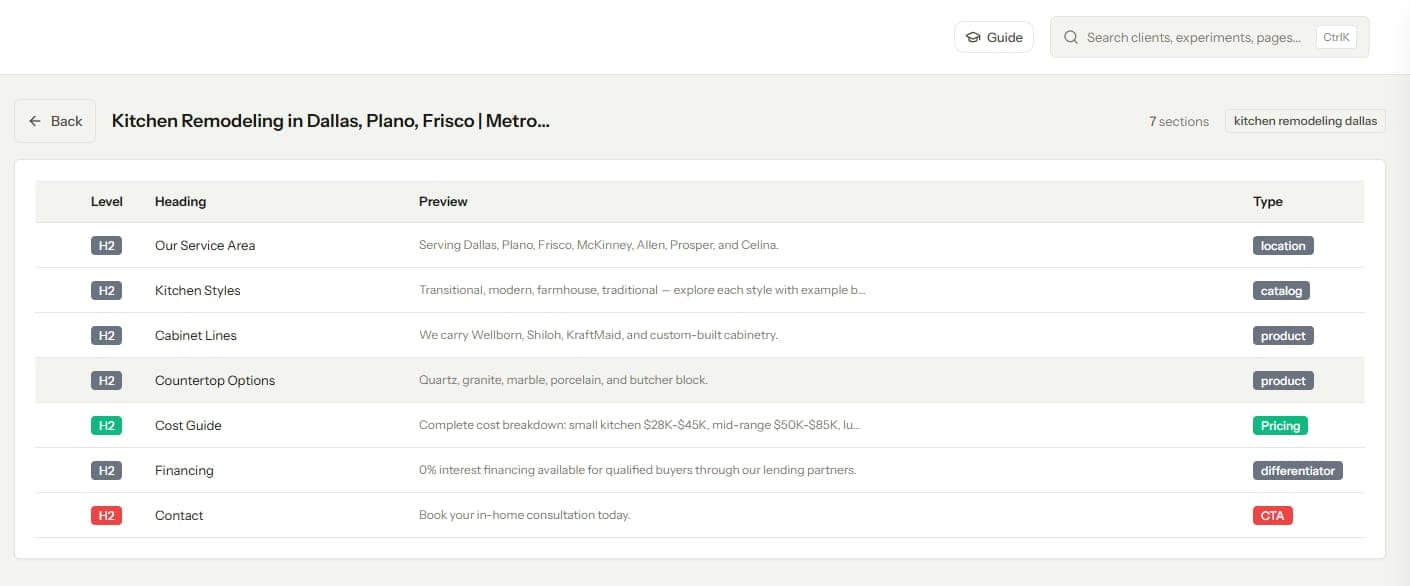

An internal link audit checks every page's inbound and outbound links for orphans, dead ends, broken links, redirect chains, and weak anchor text. On one site, it is a solved problem with a known checklist. Across 20 client sites, the same checklist becomes a month of work, so most agencies quietly stop doing it. If you want a cleaner way to measure whether those fixes move a page, use a framework for testing internal links before and after the change.
The fix is structural. Run one deep baseline audit per client at onboarding, then replace the big recurring audit with a short monthly delta check and a deeper quarterly pass. This post covers the compressed checklist, the two cadences, how to triage fixes by traffic value, and what to hand the client at the end.
What an Internal Link Audit Actually Checks
Strip the process to its findings and every internal link audit is looking for eight things.
- Orphan pages, live URLs with zero inbound internal links
- Near-orphans, pages with one or two weak inbound links
- Dead ends, pages that receive links and send none onward
- Broken internal links pointing at 404s
- Links routed through redirect chains instead of final URLs
- Under-linked priority pages, money pages with fewer inbound links than the blog posts around them
- Anchor text problems, either one phrase repeated everywhere or vague anchors like "learn more"
- Cluster gaps, related pages that never link to each other
If any of these are unfamiliar, read our single-site walkthrough on auditing a website's internal link structure first. It covers each check in depth with the reports to pull. This post assumes you know the checks and need them to survive multiplication by 20.
Why the Single-Site Process Breaks at 20 Clients
A thorough manual audit on one site takes 4 to 8 hours. Crawl, export, pivot, cross-reference against GSC, write up findings. Multiply by 20 clients and you are holding 2 to 4 full work weeks of audit labor, which is why "quarterly link audit" appears in so many proposals and so few calendars.
Time is the visible cost. The hidden costs hurt more.
Every audit starts from a cold crawl with no memory of the last one, so nobody can say whether the site improved. Findings live in one-off spreadsheets formatted differently per client and per month. And the work lands on whoever has slack that week, so quality swings with staffing.
The failure compounds at the roster level too. When each audit is a bespoke project, adding a client adds a project. Agencies that scale treat delivery as a system with fixed slots, an idea we unpack in our playbook for scaling SEO across multiple clients. Link audits are one of the clearest cases for that treatment.
Turning the Audit Into a Standing Cadence
The core move is splitting the audit into three unequal parts.
- A baseline audit, once per client at onboarding. This is the full 4 to 8 hour pass, and it should produce a link map, a findings list, and a fix backlog.
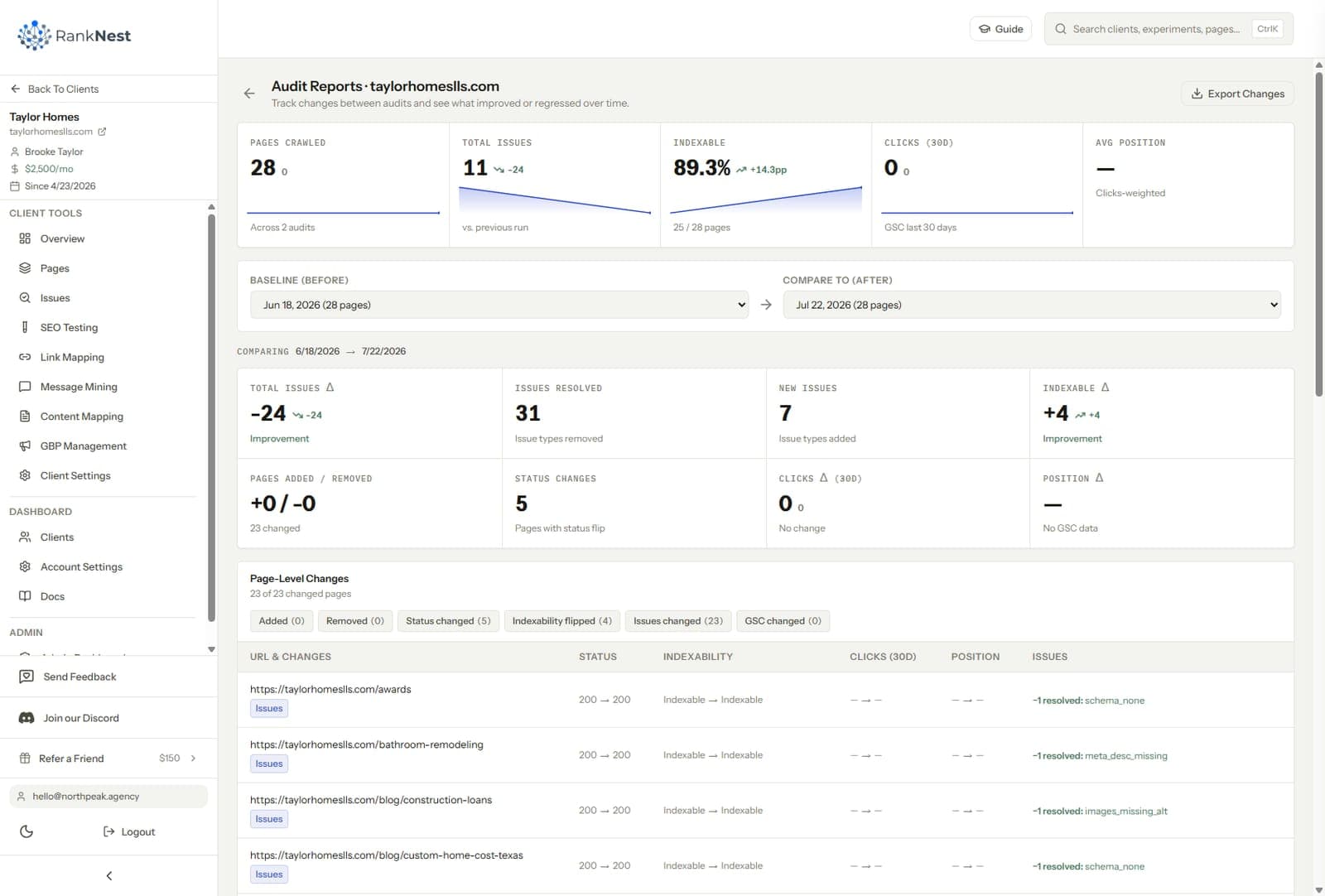
- A monthly delta check, about 30 minutes per client. It answers one question, what changed since last month.
- A quarterly deep pass, about 2 hours per client. It re-reads the whole structure and catches slow drift the monthly check misses.
The math changes completely. Twenty clients at 30 minutes is one day per month, plus roughly five days per quarter for deep passes spread across the quarter. That fits inside a real agency calendar. The baseline cost only recurs when you sign someone new.
One habit makes the cadence work, and it is the same habit that makes anything measurable. Log every link you build or fix, with the date. The monthly check is only fast because you are comparing against a known previous state instead of rediscovering the site from scratch.
The Monthly Delta Check, 30 Minutes Per Client
Run a fresh crawl, then work through five questions.
- Did every page published last month get inbound links? New posts start as orphans until someone links to them, so this is the most common recurring finding.
- Did any new broken links or redirect chains appear? CMS edits, deleted pages, and URL changes create these constantly.
- Did the orphan count move in the right direction? If it jumped, find out what shipped without a linking step. The repair workflow is in our guide to fixing orphan pages fast.
- Are last month's shipped links still live? Page rebuilds and plugin updates silently eat links more often than anyone expects.
- Did any priority page lose inbound links?
Answer those five, log the findings, and queue the fixes. Resist the urge to expand the monthly check. Its value is that it always happens, and it always happens because it is small.
The Quarterly Deep Pass, 2 Hours Per Client
Once a quarter, zoom out from deltas to structure. This is where you re-read the client's link graph as a whole, the way we described in our internal link mapping guide. Pull up the map and look for drift.
- Has a new content cluster formed without connecting to its money page?
- Are two clusters starting to cannibalize the same query?
- Has click depth crept up as content accumulated?
- Is the anchor text distribution to priority pages getting repetitive?
- Do template links, navs and footers, still point at the right priorities?
The quarterly pass is also when you re-score the fix backlog. Positions change, client priorities change, and a fix that was worthless in January can be urgent by April because the target page climbed to position 8.
Prioritizing Fixes by Traffic Value
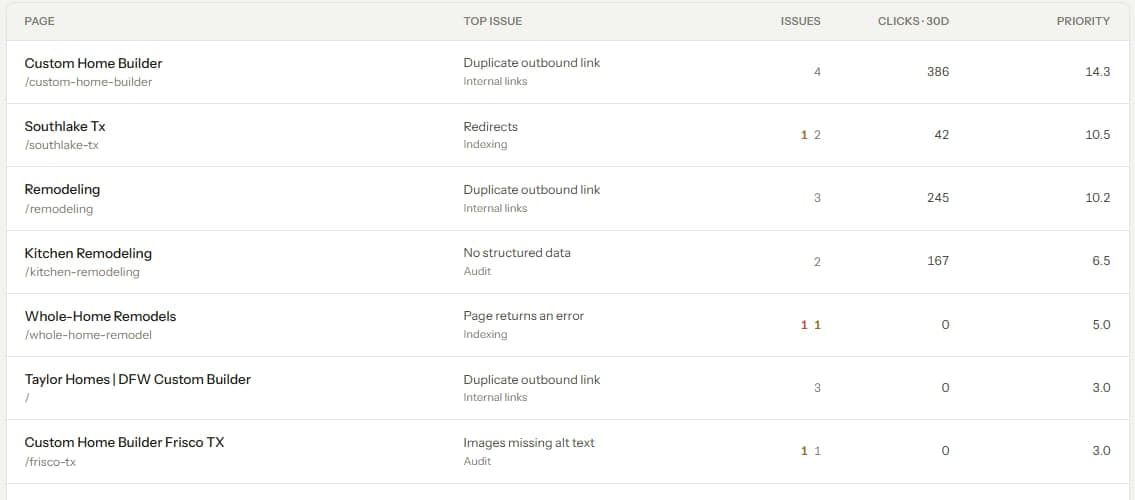
An audit across 20 sites will surface hundreds of findings. Issue counts are the wrong sort order. A broken link on a page nobody visits matters less than a money page sitting at position 9 with two inbound links, even though the broken link looks more urgent in a crawl report.
Score each fix on three inputs. First, the value of the target page, meaning its role in the client's revenue and its current query positions. Second, the expected lift, where orphaned or under-linked pages ranking between positions 4 and 15 offer the most. Third, the effort, since a CMS edit is minutes and a template change needs a developer.
In practice the top of the list is stable across almost every client.
Orphaned commercial pages come first. Under-linked pages already ranking on page one or two follow, then broken links on trafficked pages. Anchor cleanup and structural reshaping fill the quarterly cycles.
The Client-Ready Deliverable
A 60-tab spreadsheet proves effort and communicates nothing. The deliverable that keeps retainers is one page per client per month, written in plain language, with four sections.
- What we found this month, in two or three sentences
- What we fixed, as a short list with dates
- What moved, the before and after on pages we fixed previously
- What is queued next, with the reason it is next
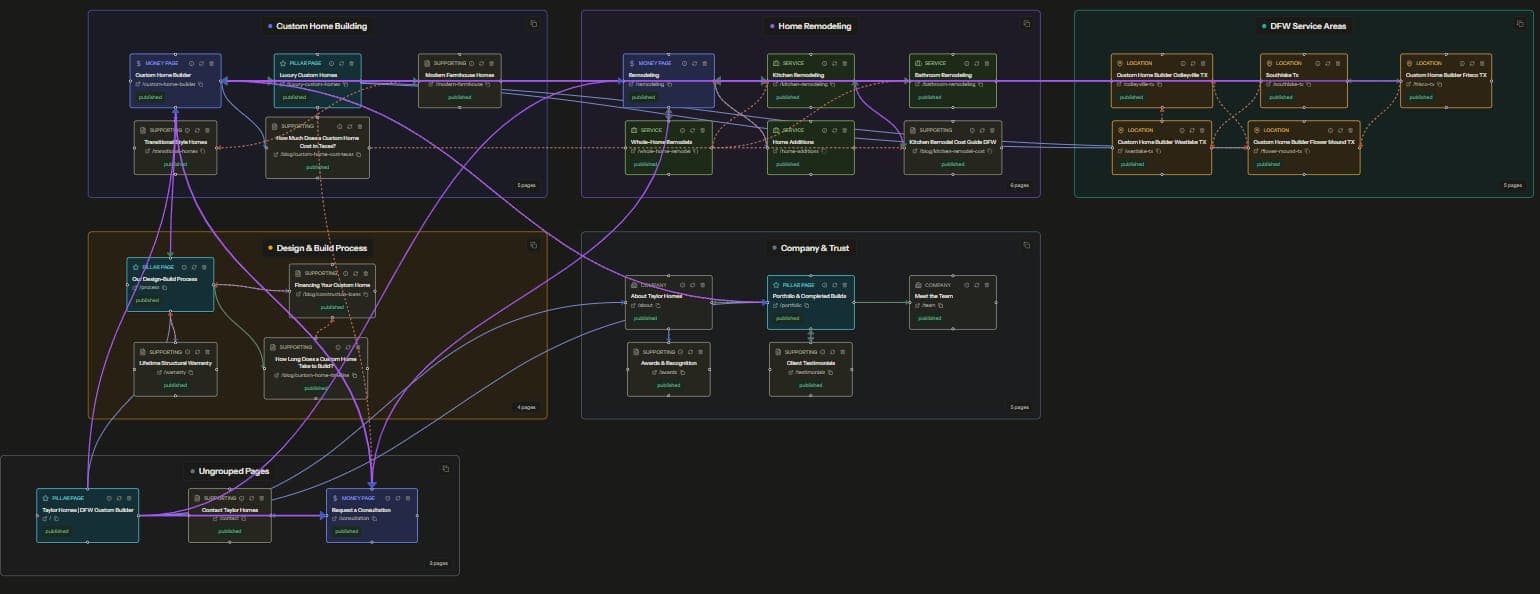
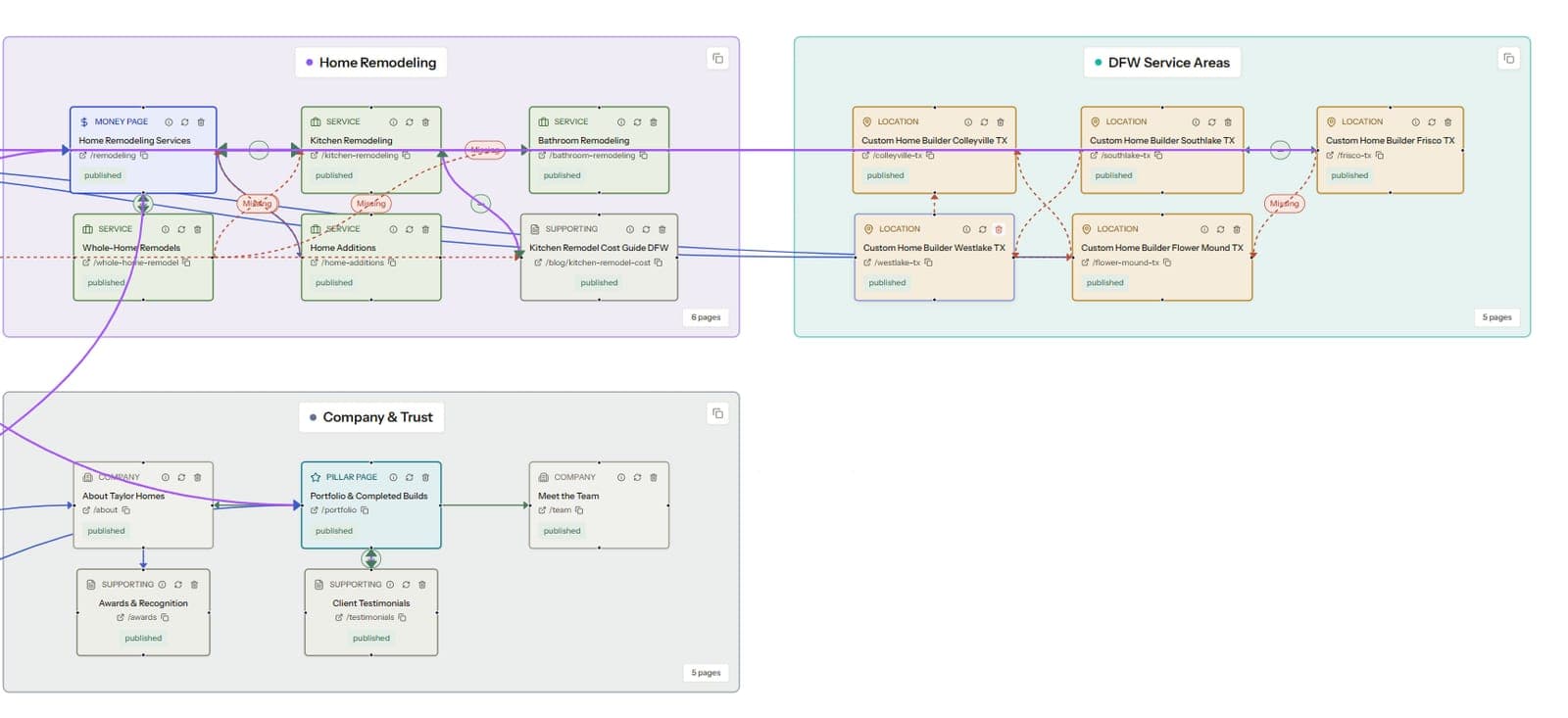
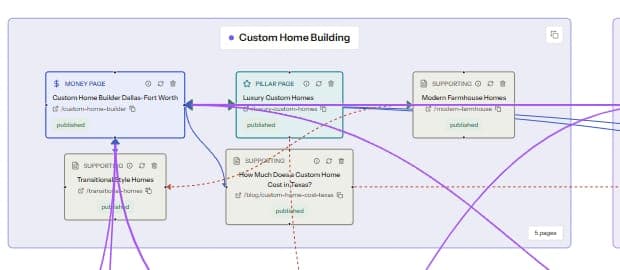
A before-and-after view of the link map earns its space here. Clients who will never read a crawl export can see an isolated dot gain edges. Pair the visual with one number that matters, such as the position change on the page you fixed last month, and the audit stops feeling like invisible plumbing work.
The Tooling That Makes It Repeatable
Whatever tools you pick, the cadence above needs four capabilities.
- Scheduled or on-demand crawls per client, without rebuilding configs each time
- A stored previous state, so deltas are computed instead of eyeballed
- A visual map per site
- A place to log shipped fixes with dates
You can assemble this from a desktop crawler plus spreadsheets, and at 3 to 5 clients that assembly holds up fine. Past that, the glue work becomes its own job.
This is the workflow we built RankNest around. The technical site audit crawls each client for status codes, indexability, redirects, and schema. The visual link mapping tool keeps a live node-based map per client and generates a prioritized list of links to build next.
We compared the wider tool options, including the WordPress plugins and single-site platforms, in our roundup of the best internal linking tools for agencies. The short version is that most internal linking tools assume one site, so check the multi-client column before anything else.
FAQ
How long should an internal link audit take?
A full baseline audit on a typical small business site takes 4 to 8 hours, including the crawl, analysis, and write-up. After that baseline, a monthly delta check should take about 30 minutes per site, and a quarterly structural pass about 2 hours. If every audit takes 8 hours, the process is missing a stored previous state to compare against.
How often should an agency audit internal links for clients?
Run a deep audit once at onboarding, a 30-minute delta check monthly, and a 2-hour structural review quarterly. Monthly matters because new content ships as orphan pages and CMS edits break links continuously. Quarterly catches the slow structural drift that monthly checks are too narrow to see.
What should an internal link audit include?
Check for orphan pages, near-orphans, dead ends, broken internal links, redirect chains, under-linked priority pages, repetitive or vague anchor text, and disconnected topic clusters. Cross-reference findings against GSC so fixes get ranked by traffic value. The deliverable should state what was found, what was fixed, and what moved as a result.
What is the best tool for auditing internal links at scale?
For one or two sites, a desktop crawler like Screaming Frog plus a spreadsheet covers it. Across a client roster, you want scheduled crawls per client, stored history for delta comparison, and a visual link map per site. Most dedicated internal linking tools are single-site WordPress plugins, so confirm multi-client support before comparing anything else.
How do I prioritize internal link fixes?
Score each fix by the value of the target page, the expected lift, and the effort to ship. Orphaned commercial pages come first, then under-linked pages already ranking between positions 4 and 15, then broken links on trafficked pages. Issue severity in a crawl report is a poor sort order because it ignores what the page is worth.