
Small sites cannot run SEO split tests, because split testing needs hundreds of similar pages to fill control and variant groups. The method that works instead is time-based before/after testing. You snapshot a page's Google Search Console performance, make one change on a recorded date, then compare matched time windows against the site-wide trend. With longer windows and honest annotation of confounds, this works on a 30-page local business site.
That matters because most agency clients are exactly that size. The enterprise testing literature assumes e-commerce scale, and then most working SEOs conclude testing is out of reach. It is out of reach in one specific format, and fully available in another.
Why enterprise SEO testing methodology fails on small sites
Split testing gets its power from simultaneous comparison. You change 1,000 product pages, hold 1,000 back, and both groups experience the same algorithm updates and seasonality at the same time, so those effects cancel. SearchPilot, the best-known platform in this space, generally works with page sections of 1,000 or more for this reason.
Now look at a typical client roster. A dental practice with 25 pages, a regional contractor with 60, a B2B services firm with 200. There is no bucket to split. Even at 800 pages, the pages are usually too different from each other, a blog post and a service page do not belong in the same experiment group.
The volume problem shows up in the traffic too. A page earning 80 clicks a month produces deltas that bounce around from pure noise week to week. Enterprise methodology answers noise with page volume. Small-site methodology answers it with time.
The before/after method, step by step
Before/after testing swaps simultaneous control groups for historical ones. The page's own past is the control. That trade costs you some rigor, which you buy back with discipline. Here is the full sequence, and our agency guide to SEO testing covers the reasoning behind each step in more depth.
- Pick a page with a job to do, ranking positions 4 through 15, or high impressions with weak CTR.
- Write a one-sentence hypothesis naming the metric you expect to move.
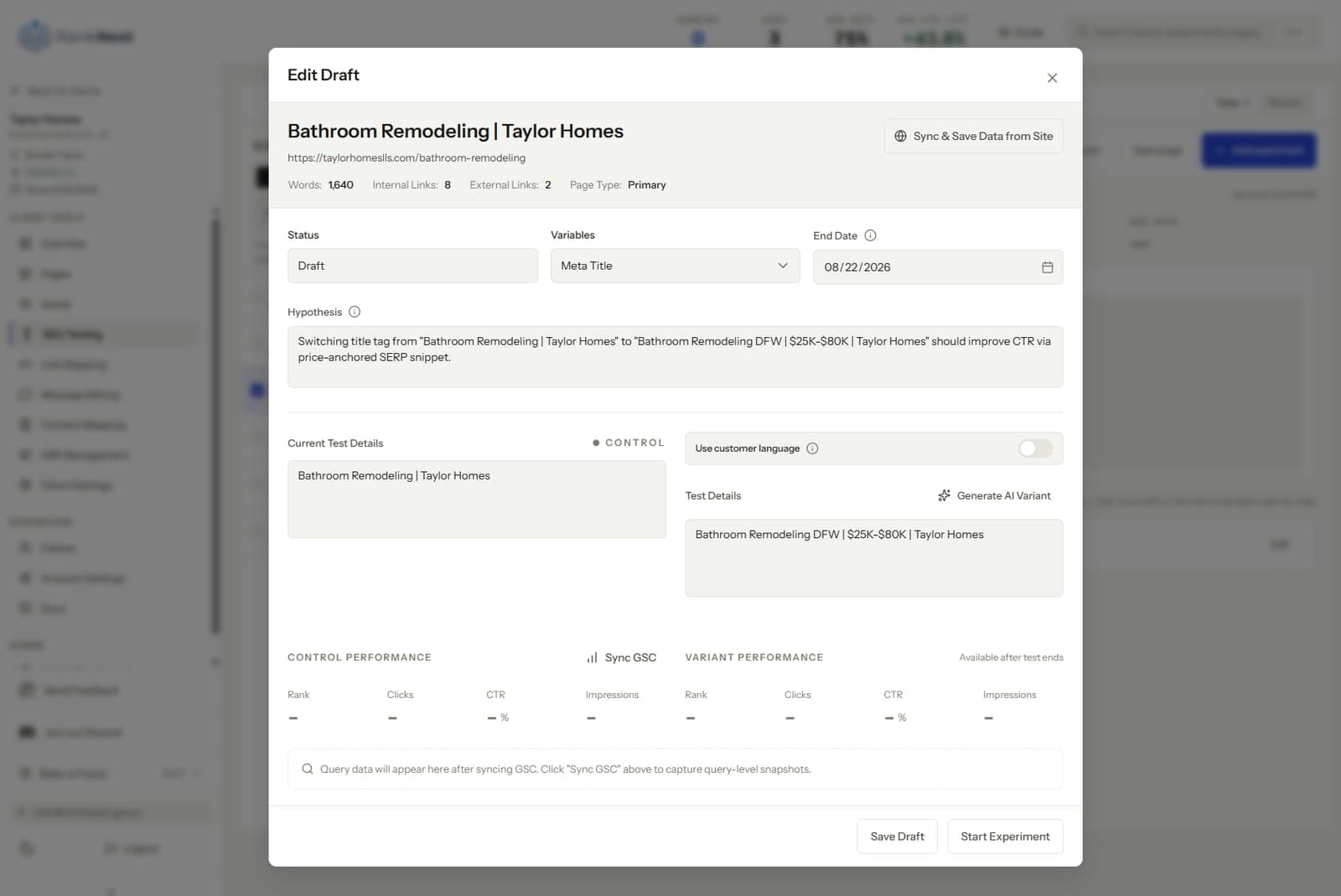
- Snapshot the GSC baseline, impressions, clicks, CTR, and position, for the trailing 28 to 90 days. Capture the site-wide totals too.
- Make one change. One. Record the exact date.
- Confirm Google recrawled the page, then leave it alone for the full window.
- Compare the after-window to the baseline, and to the site-wide trend over the same span.
- Log the result and the decision, keep, revert, or extend.
The site-wide comparison is what makes small-site results defensible. If your tested page rose 15 percent and the whole site rose 14 percent, you measured a tide. The page has to beat its own site before you claim the change worked.
If you want ideas for step 1, we keep a list of 25 tests that work on client sites, most of which suit small sites out of the box.
Set longer windows than you think you need
Window length is the price of low traffic. A page with 1,000 clicks a month can show a trustworthy CTR delta in 4 weeks. A page with 60 clicks a month cannot, the weekly numbers swing too hard.
Our working rules of thumb, tuned on small client sites over several years.
- Above roughly 500 clicks a month, 4-week windows are usually enough.
- Between 100 and 500, use 6 to 8 weeks.
- Below 100 clicks a month, use 8 to 12 weeks, and treat any single result as provisional.
- Below about 30 clicks a month, test at the group level instead, one change type across several pages, read as a set.
Matched windows matter as much as long ones. Compare 8 weeks to 8 weeks, keep the weekday balance even, and never let a holiday sit in only one side of the comparison. GSC retains 16 months of data, which is enough for a year-over-year check on any window you pick.
Annotate confounds or your results are fiction
On a big split test, confounds cancel. On a before/after test, they land directly in your numbers, so the log has to catch them. Keep a running annotation list per client and write down anything that could move organic performance, with the date.
The usual suspects for small business sites.
- Google algorithm updates, confirmed or strongly suspected. Extend or rerun any test an update overlaps.
- Seasonality. An HVAC site in June and an accountant in March are moving for their own reasons, check year over year.
- Client-side changes, edits to the tested page, new ads on the same queries, site redesigns.
- Google Business Profile changes, for local clients. New reviews, category edits, and GBP posts shift local queries and can bleed into the site's branded and near-branded traffic.
- SERP layout shifts, a new AI answer or map pack on the target query changes CTR for everyone.
This sounds like bookkeeping because it is. The annotation habit is the single biggest difference between agencies whose test logs survive scrutiny and agencies whose results dissolve the first time a client asks a hard question.
Aggregate tests across clients to build real evidence
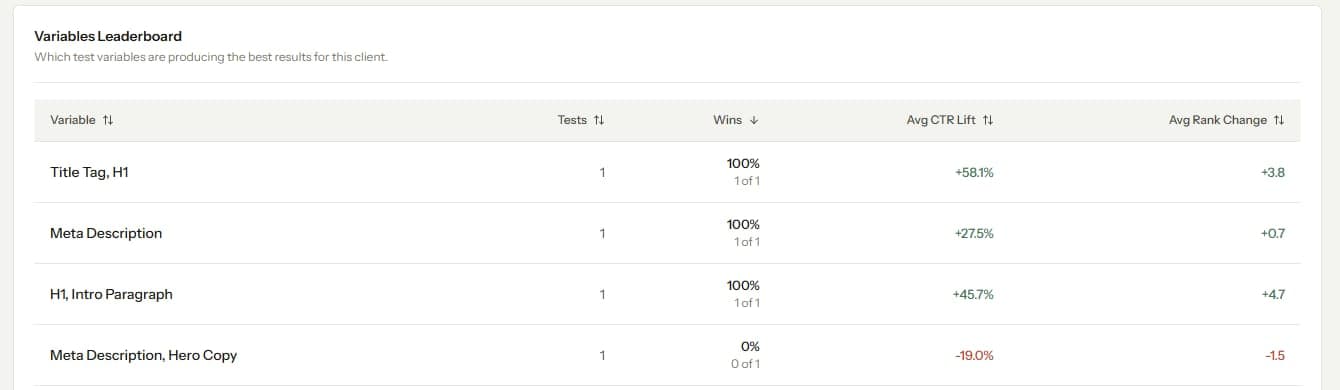
A single before/after result on a small site is weak evidence. The same result, repeated across a roster, is strong evidence. This is the one advantage agencies hold over any in-house team, sample size across businesses.
Run the same test template, say front-loading the keyword in service page titles, on 6 clients in similar niches. Log each result in the same format. If 5 of 6 show a CTR lift, you now have a finding worth acting on everywhere, even though no single test would impress a statistician. Your losses become data too, a change that fails twice across different sites gets retired from the playbook.
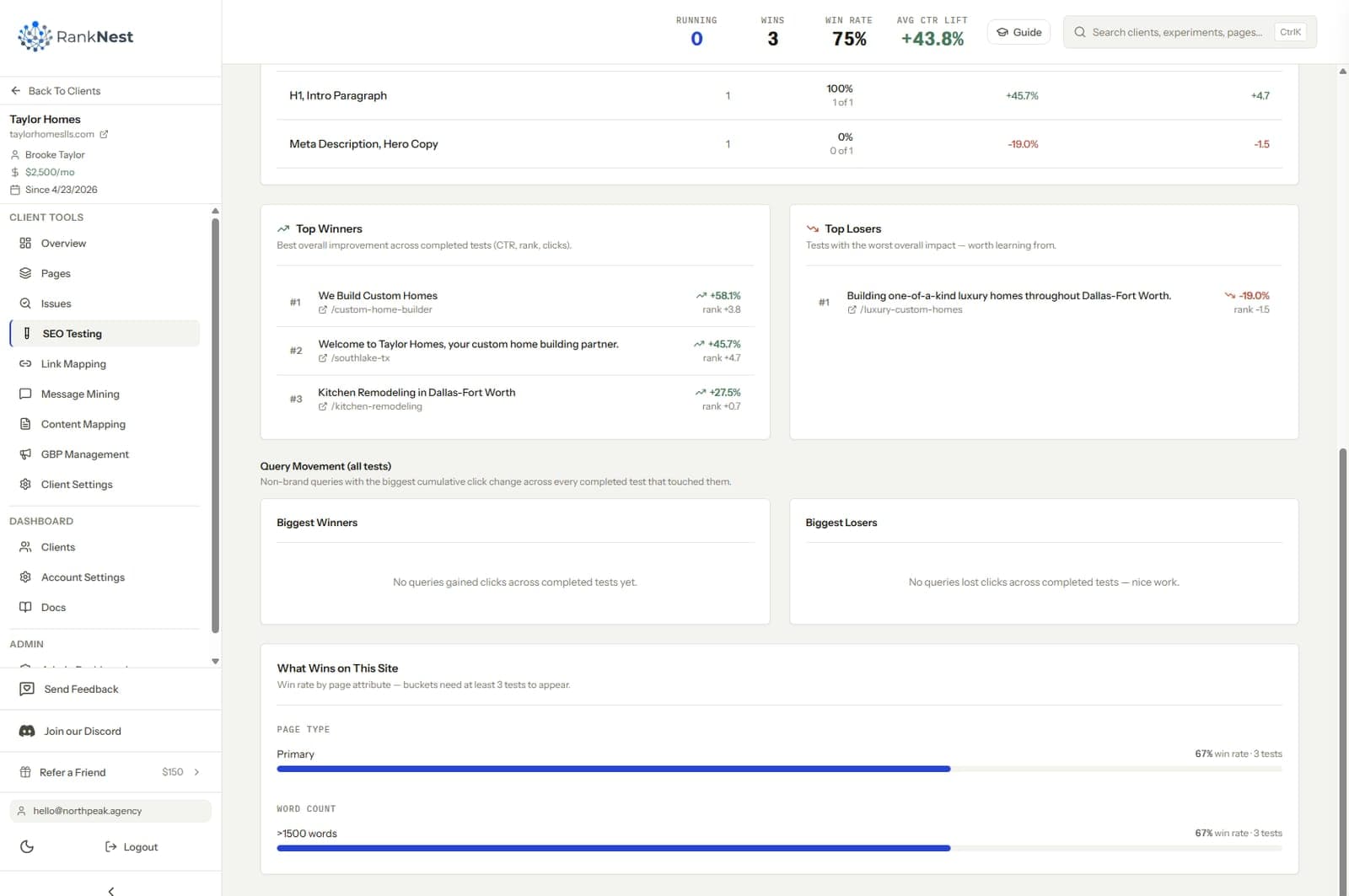
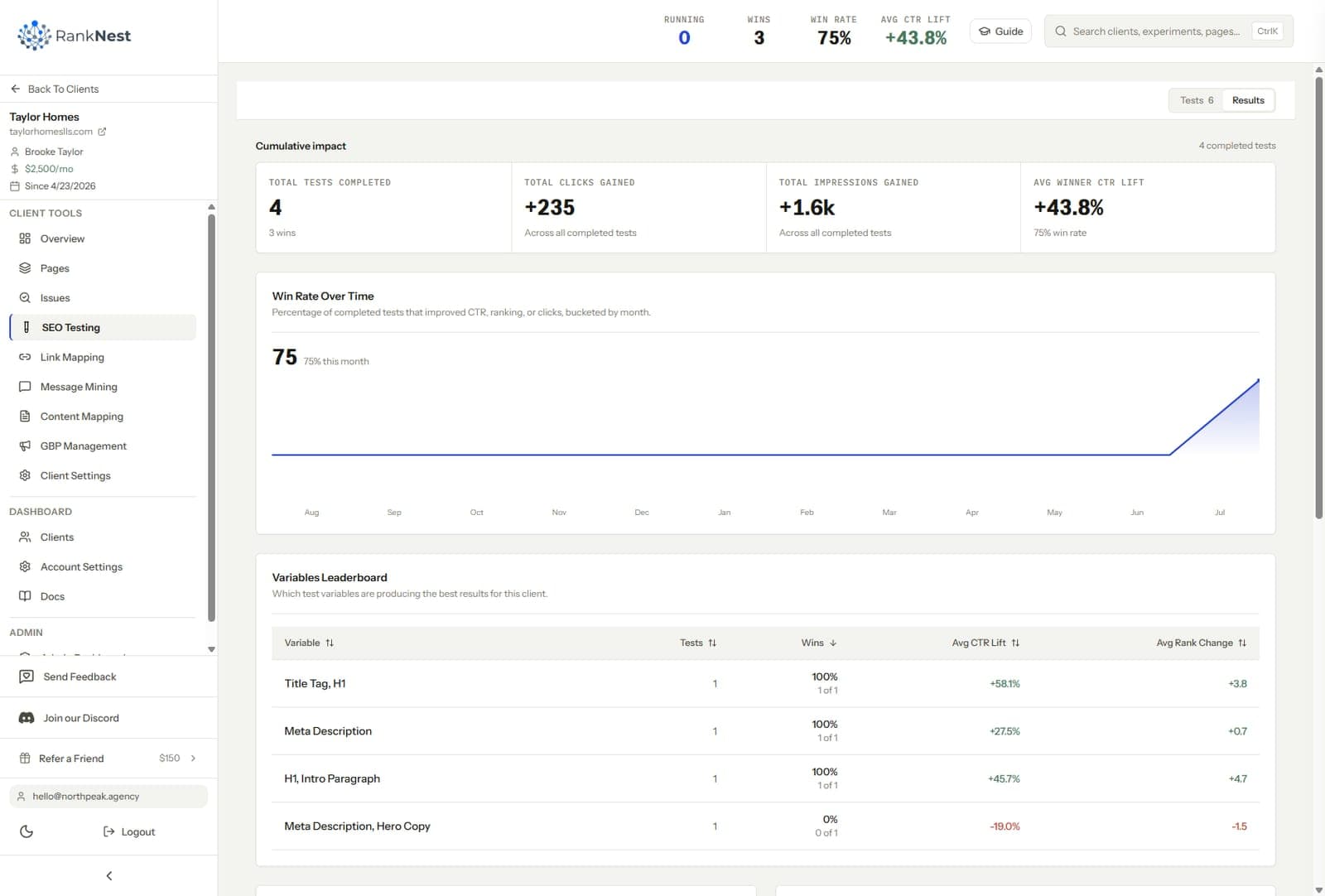
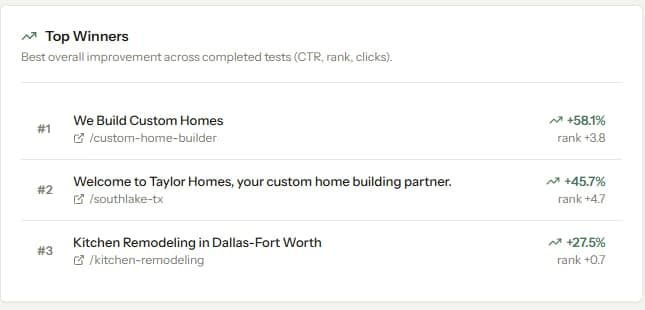
Doing this well requires per-client experiment logs that live somewhere permanent. We built RankNest's SEO testing feature around exactly this loop, each experiment snapshots its GSC baseline inside the client's workspace, so cross-client patterns are visible instead of buried in 6 spreadsheets. Whatever tooling you use, the comparison across clients only works if every test is logged the same way, and our comparison of SEO testing tools breaks down which platforms support this workflow at small-site scale.
A small-site example with honest numbers
Here is what this looks like on a real-world scale, with illustrative figures.
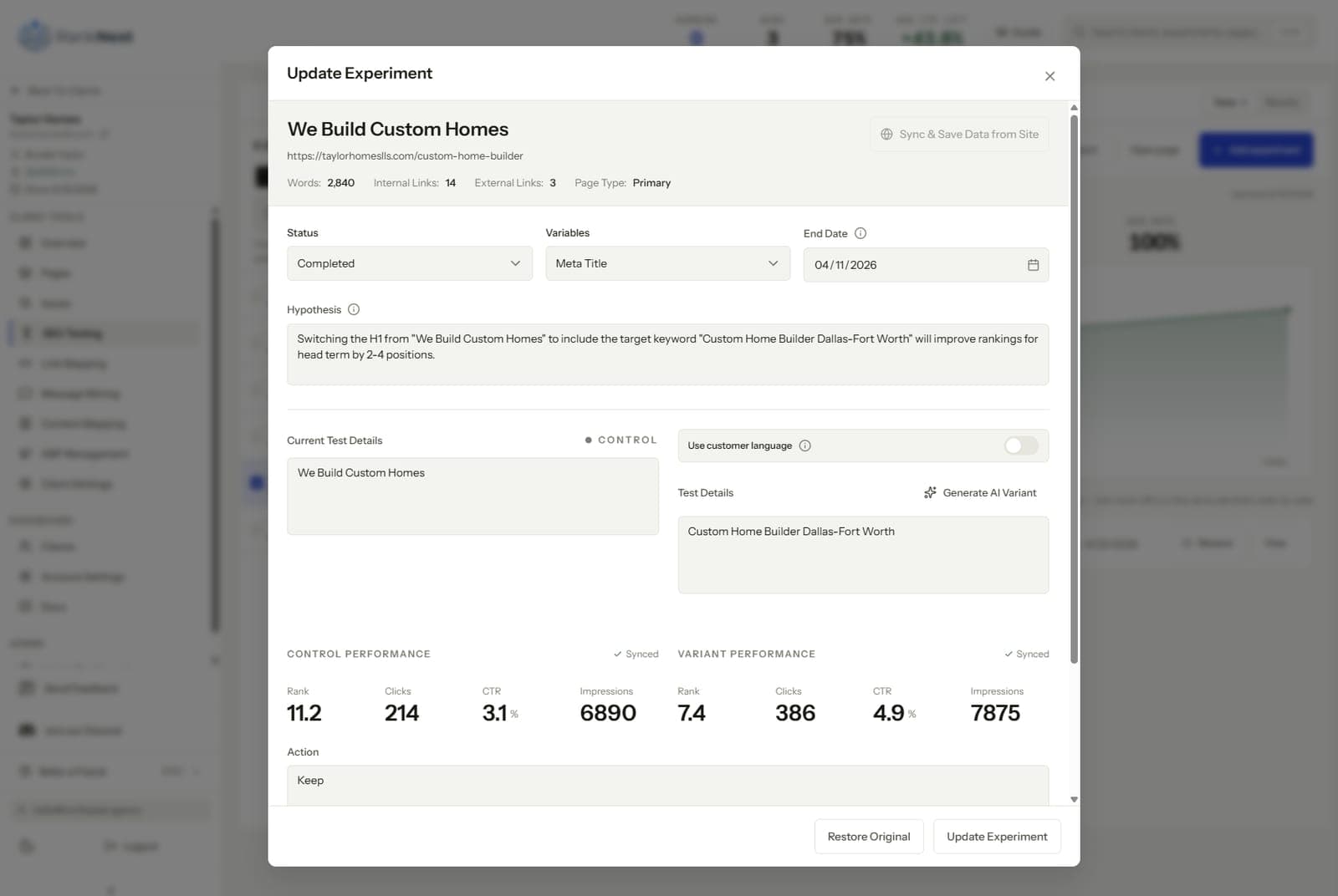
A 40-page electrician site has a panel upgrade page at position 8, earning 1,900 impressions and 21 clicks over the trailing 28 days. That click volume is too thin for a 4-week read, so you set a 10-week window. The baseline captures the trailing 90 days instead, 5,600 impressions, 58 clicks, 1.0 percent CTR, and the site-wide totals alongside.
The change is a title rewrite from "Electrical Services" to "Electrical Panel Upgrade Cost and Process". You ship it on August 5, note it in the annotation log, and also note that the client is running a September promotion on a different service.
Ten weeks later the page shows 6,100 impressions and 96 clicks, a 1.6 percent CTR, against a site that grew 6 percent. The lift is real but modest, roughly 15 extra clicks a month. On its own, that is a lean result. Logged next to the same test on 4 other trades clients, 3 of which moved the same direction, it becomes a playbook entry.
That is the honest shape of small-site testing. Individual results whisper, the pattern across the roster speaks.
What a realistic small-site testing cadence looks like
Two or three active tests per client is the practical ceiling, since tests must not share pages or query sets. On a 30-page site that might mean one title test, one internal linking test, and one content refresh in flight at a time.
A steady quarterly rhythm for one small client looks like this.
- Month 1, ship 2 metadata tests and 1 internal linking test.
- Month 2, read the metadata tests, ship follow-ups or rollouts, start a content refresh test.
- Month 3, read everything, revert losers, roll winners out to sibling pages, refill the candidate queue from GSC.
That pace produces 8 to 12 completed experiments per client per year. Across a 10-client roster, that is around 100 data points a year in your private playbook, from sites the enterprise platforms would refuse to test at all.
FAQ
Can you A/B test SEO on a small website?
Formal split testing, no, it requires hundreds of similar pages per group. Before/after testing, yes. You compare a page against its own GSC baseline over matched windows, control against the site-wide trend, and use longer windows to tame the noise.
How much traffic do you need to run an SEO test?
Around 100 clicks a month per tested page supports 6 to 8 week windows with readable results. Below that, extend to 8 to 12 weeks or test one change type across a group of pages and read them as a set. Pages under about 30 monthly clicks rarely justify individual tests.
How long should SEO tests run on low-traffic sites?
Six to 12 weeks is the normal range, roughly double the window a high-traffic page needs. The lower the click volume, the longer the window, and any test overlapping a confirmed Google update should be extended or rerun.
Are SEO test results on small sites statistically significant?
Almost never in the formal sense, and it is better to say so than to fake precision. What small-site testing produces is direction, magnitude, and repeatability. Repeating one test across many similar sites is how agencies turn weak individual signals into findings they can trust.
What is the best SEO testing method for a local business site?
Time-based before/after testing against a GSC baseline, with GBP activity annotated alongside. Local sites are small and local SERPs are volatile, so long windows and a careful confound log matter more than anywhere else. Title, snippet, and internal linking tests are the usual starting points.