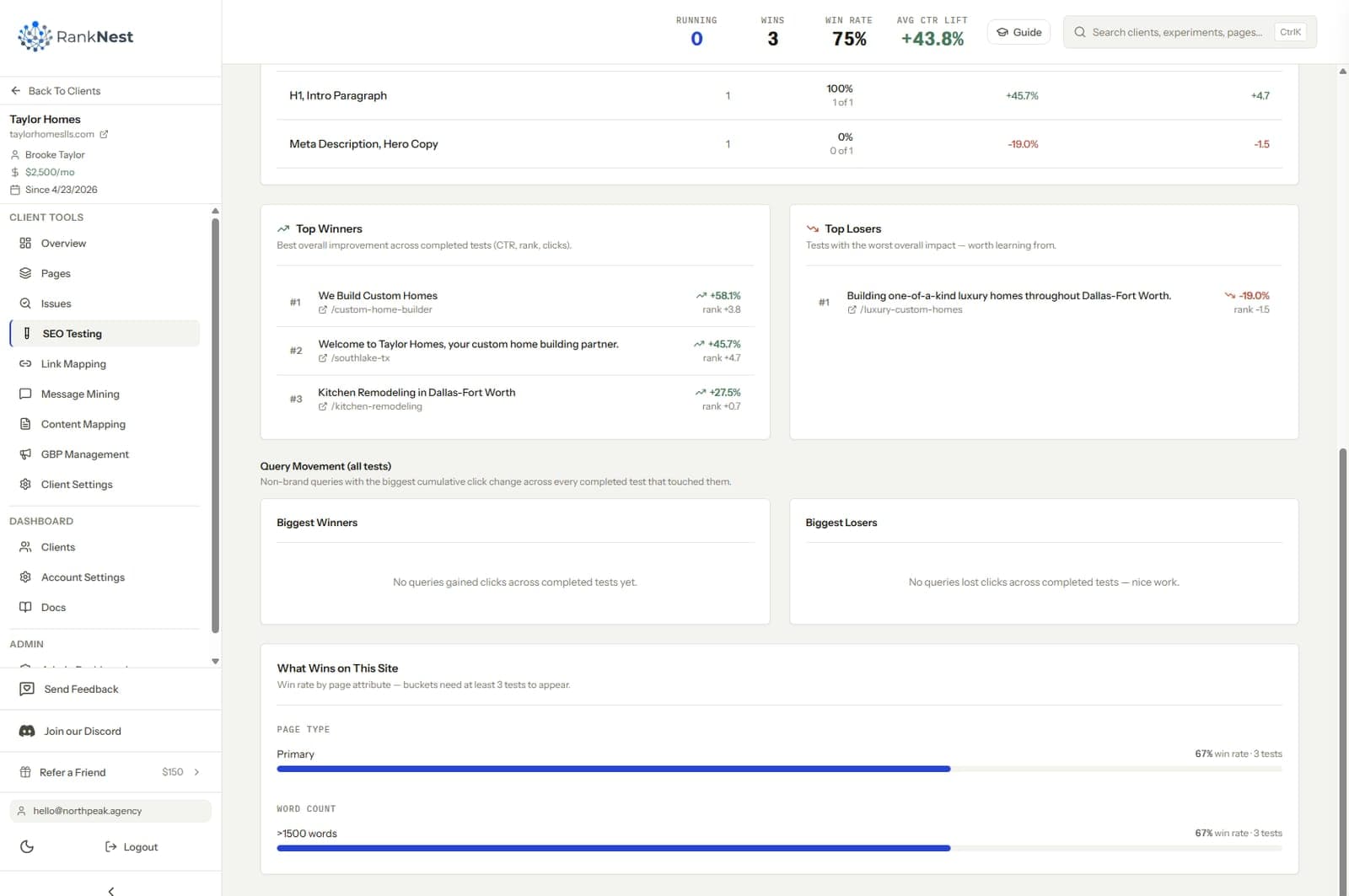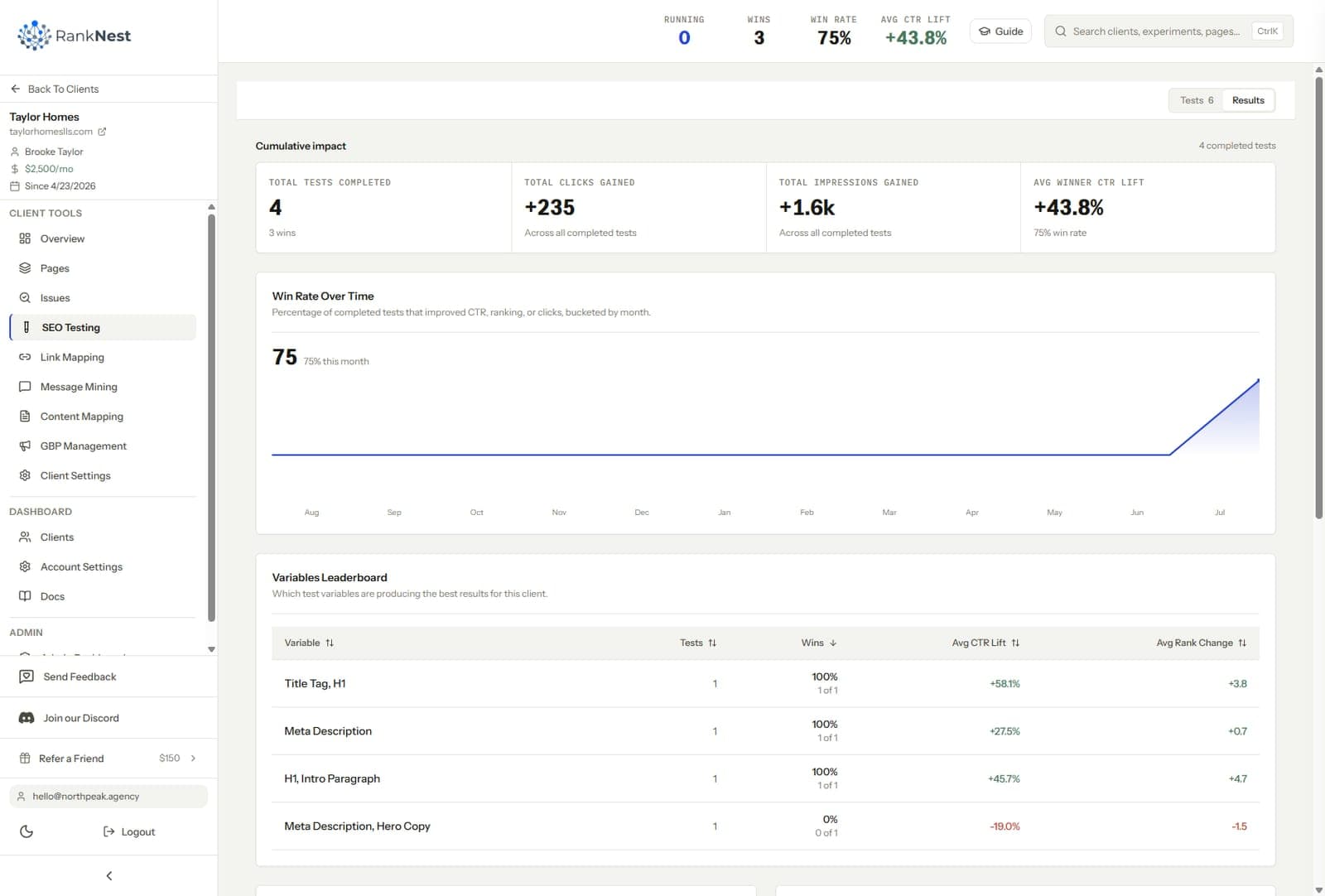
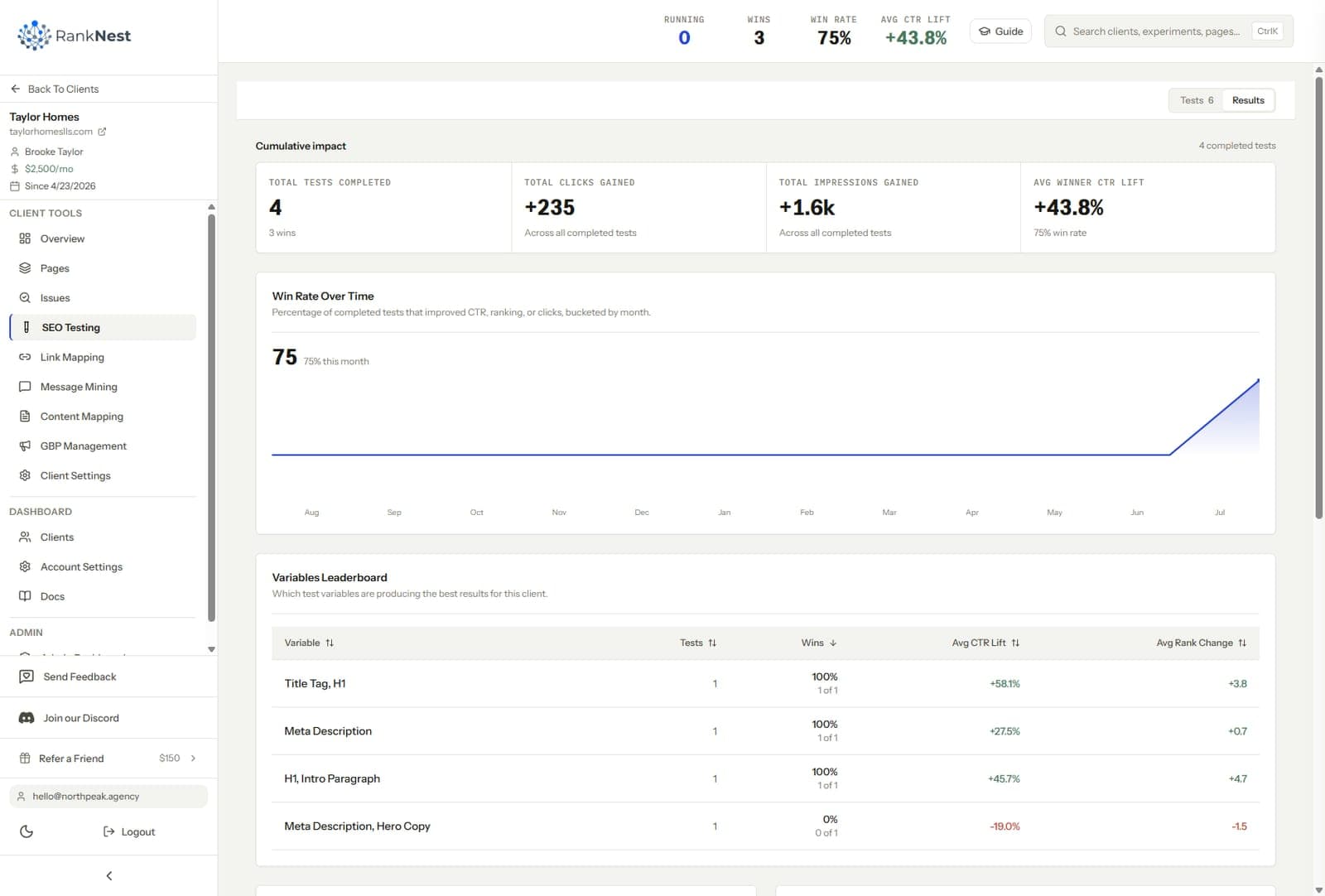
SEO testing is the practice of making one controlled change to a page, recording the date, and measuring impressions, clicks, and average position against a pre-change baseline from Google Search Console. There are two methods. Time-based before/after testing compares a page to its own history and works on any site. Split testing compares a changed group of pages to an unchanged control group and requires hundreds of similar pages. If you are choosing software for either approach, the best SEO testing tools in 2026 are compared in our roundup.
For an agency, testing changes what a retainer is. Instead of shipping work and hoping the traffic graph cooperates, you ship a change, measure it, and hand the client a before/after delta with a date on it. This guide covers the whole workflow, from picking test candidates in GSC to reporting results a client will actually believe.
What is SEO testing?
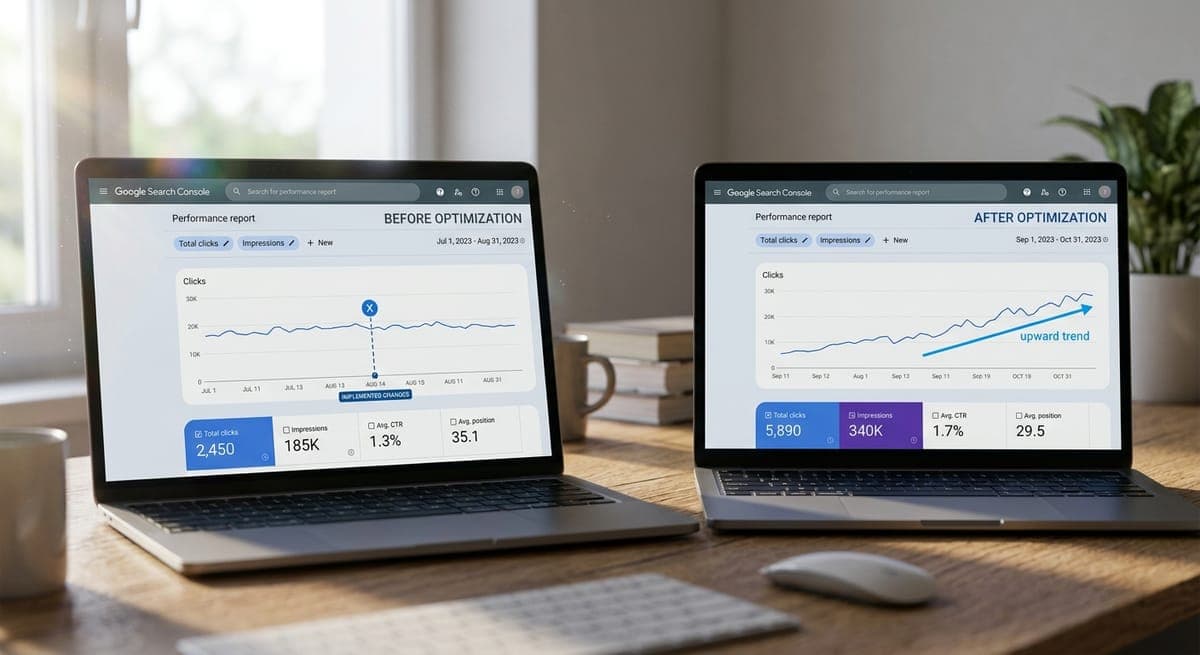
An SEO test isolates one change so you can attribute the outcome to it. You pick a page, snapshot its search performance, change one thing, then compare the same metrics over a matching window after the change. If clicks on that page rose 22 percent while the rest of the site stayed flat, the change probably did it.
The two methods differ in how they control for everything else that happens during the test.
Before/after testing. You compare a page's performance in the 4 to 12 weeks before a change against the same span after it. This works on a 40-page local plumber site as well as a 40,000-page store. The tradeoff is that time keeps moving, so seasonality and algorithm updates can blur the read, and you have to account for them by hand.
Split testing. You divide a large template group, say 2,000 product pages, into a control bucket and a variant bucket, then apply the change to the variant bucket only. Both buckets live through the same seasonality and the same updates, so those effects cancel out. The catch is volume. SearchPilot, the enterprise platform built for this, works with page sections of roughly 1,000 pages or more.
| Before/after testing | Split testing | |
|---|---|---|
| Minimum site size | Any, works on 30 pages | Hundreds to 1,000+ similar pages |
| Control group | The page's own history | A held-back bucket of matching pages |
| Confound handling | Manual annotation | Mostly cancels out by design |
| Setup cost | Minutes, GSC access only | Template-level changes, usually dev work |
| Typical user | Agencies, SMBs, local sites | Enterprise e-commerce and publishers |
Most agency clients are small. A law firm with 80 pages or a med spa with 30 will never fill a split-test bucket, so before/after is the honest method for most client work. Save split tests for the rare e-commerce or directory client with real template scale. That setup also makes it easier to show clients why a change mattered in money terms, which is the point of proving SEO ROI to clients with experiments, not dashboards.

Why agencies need SEO testing more than in-house teams do
An in-house SEO answers to one boss who already bought into the channel. An agency answers to 5 or 10 or 15 clients who each ask some version of the same question every month. What did we pay you for. A log of tested changes with measured outcomes is the only answer that gets stronger over time.
Testing also protects you in the other direction. When a client's developer ships a redesign and organic traffic dips, an annotated record of what you changed and what it did separates your work from theirs. Without that record, every dip on the account is your fault by default.
It de-risks the work itself. A title rewrite that tanks CTR on a money page is a two-week problem if you measured it, and an invisible slow leak if you never did. Reverting a losing change quickly is a service most agencies cannot offer because they never know a change lost.
And results compound across the roster. Run the same title format test on 12 clients in the same niche and you stop guessing about what works, you own a private dataset no competitor can read. That library is one of the core systems in our playbook for running SEO across multiple clients, because it turns every client engagement into R&D for the next one.

How to pick test candidates from GSC
Open the client's Search Console property, go to the Performance report, and set the range to the last 3 months. You are hunting for pages where a small change can move a measurable number. Run the page list through these four filters. If the site is small and the page count is under 1,000, our guide to running SEO tests on small sites shows the before/after method in detail.
- Striking distance positions. Pages ranking 4 through 15 for their main query. A one-spot move here changes real click counts, while a move from 45 to 40 changes nothing a client can feel.
- High impressions, weak CTR. A page with 8,000 monthly impressions and a 1.1 percent CTR at position 6 is underperforming its slot. Title and meta description tests live here.
- Decaying pages. Compare year over year. Pages that lost clicks while holding position often need a content refresh, and the refresh is a clean test.
- Query mismatch. Pages earning impressions for queries their title never addresses. Aligning the title to the real query mix is one of the highest-percentage tests there is.
Then apply a data floor. A page needs enough traffic to show a signal inside a reasonable window, and our working threshold is around 100 to 150 clicks per month for a 4-week read. Pages below that can still be tested, they just need 8 to 12 week windows. Exclude pages dominated by branded queries, because brand demand moves for reasons that have nothing to do with your change.
Build the shortlist per client each quarter, 5 to 10 candidates, ranked by potential click gain. That queue becomes your testing roadmap and half of your next client call agenda.
Setting baselines and minimum data thresholds
A baseline is the page's performance over a fixed window before the change. Without it, the after-picture has nothing to stand against, and GSC only retains 16 months of data, so capture it at test start.
A few rules keep baselines honest.
- Use 28 days minimum, and 90 when the niche is seasonal.
- Compare matching windows, 28 days against 28 days, with the same weekday balance.
- Keep holidays out of one side of the comparison if you can.
- Record impressions, clicks, CTR, and average position for the page, plus the site-wide totals for context.
The site-wide totals matter more than most people expect. If the tested page rose 20 percent and the whole site rose 20 percent, your change proved nothing. The page has to beat its own site.
Doing this by hand means a spreadsheet per test, and it is exactly the step that gets skipped when the month gets busy. However you handle it, the baseline has to exist before the change ships. Reconstructed baselines invite motivated reasoning, and clients can smell a backfilled number.
How to run tests on client sites without a dev queue
The biggest testing blocker on client sites has nothing to do with statistics. It is the client's dev queue, where a title tag change can sit for six weeks behind a checkout bug. The fix is to design your testing program around changes you can ship yourself.
Almost everything worth testing is editable in the CMS with normal access. Titles, meta descriptions, H1s, body copy, FAQ blocks, and internal links all qualify. Internal links are the standout, they sit entirely in your control, they are reversible in minutes, and good internal linking strategy is underused on most client sites anyway. Schema and template-level changes usually need a developer, so batch those into a separate slower lane.
Get the permission question settled at onboarding, in writing. A standing approval for on-page changes below an agreed scope, with everything logged and reversible, means you never wait three days for a reply to ship a meta description.
Then run every test through the same 7 steps.
- Pick the candidate page and the one metric you expect to move.
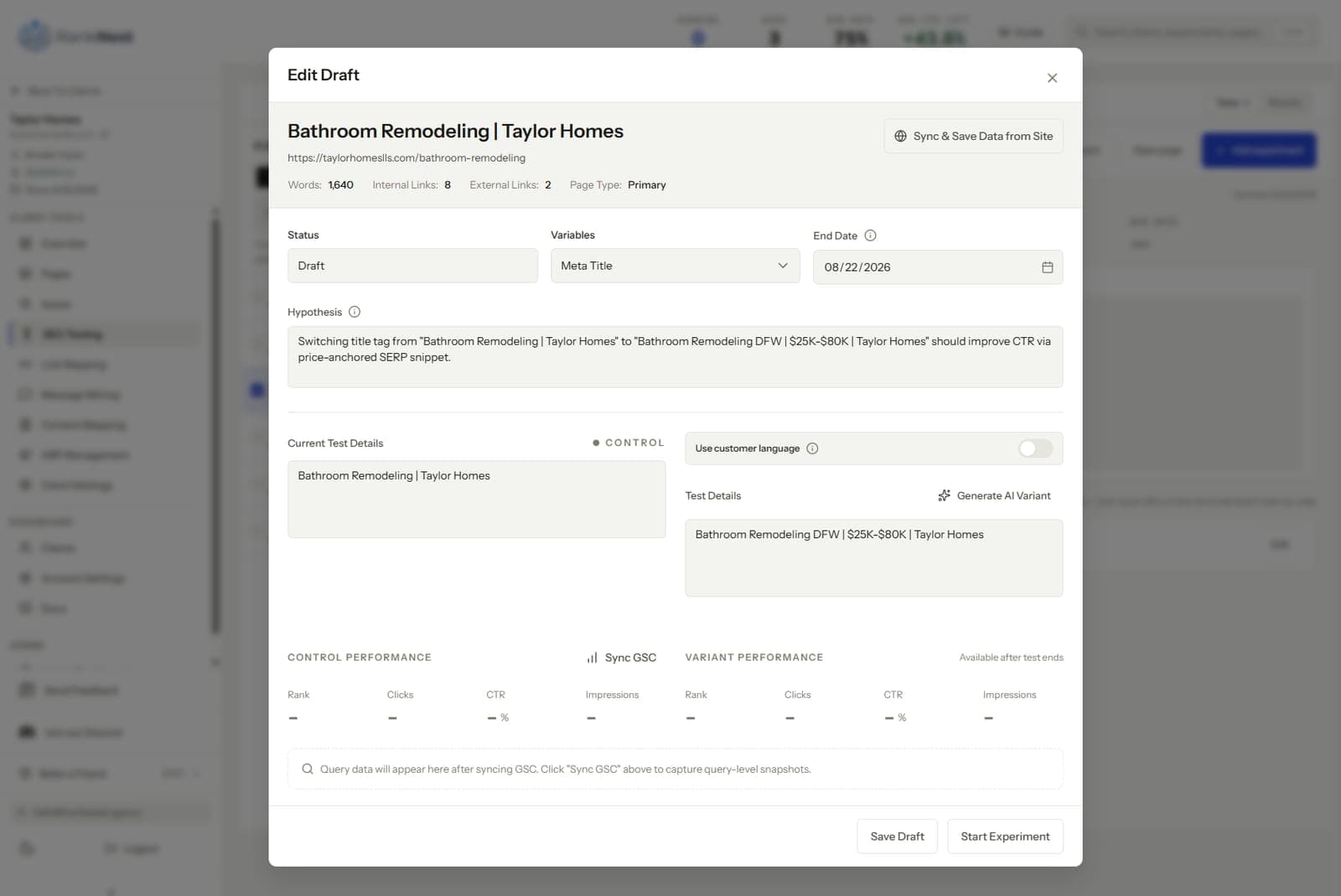
- Write the hypothesis in one sentence. If we change X, Y should rise because Z.
- Snapshot the GSC baseline.
- Ship the change and record the exact date.
- Wait the full window without touching the page.
- Compare after against before, and against the site-wide trend.
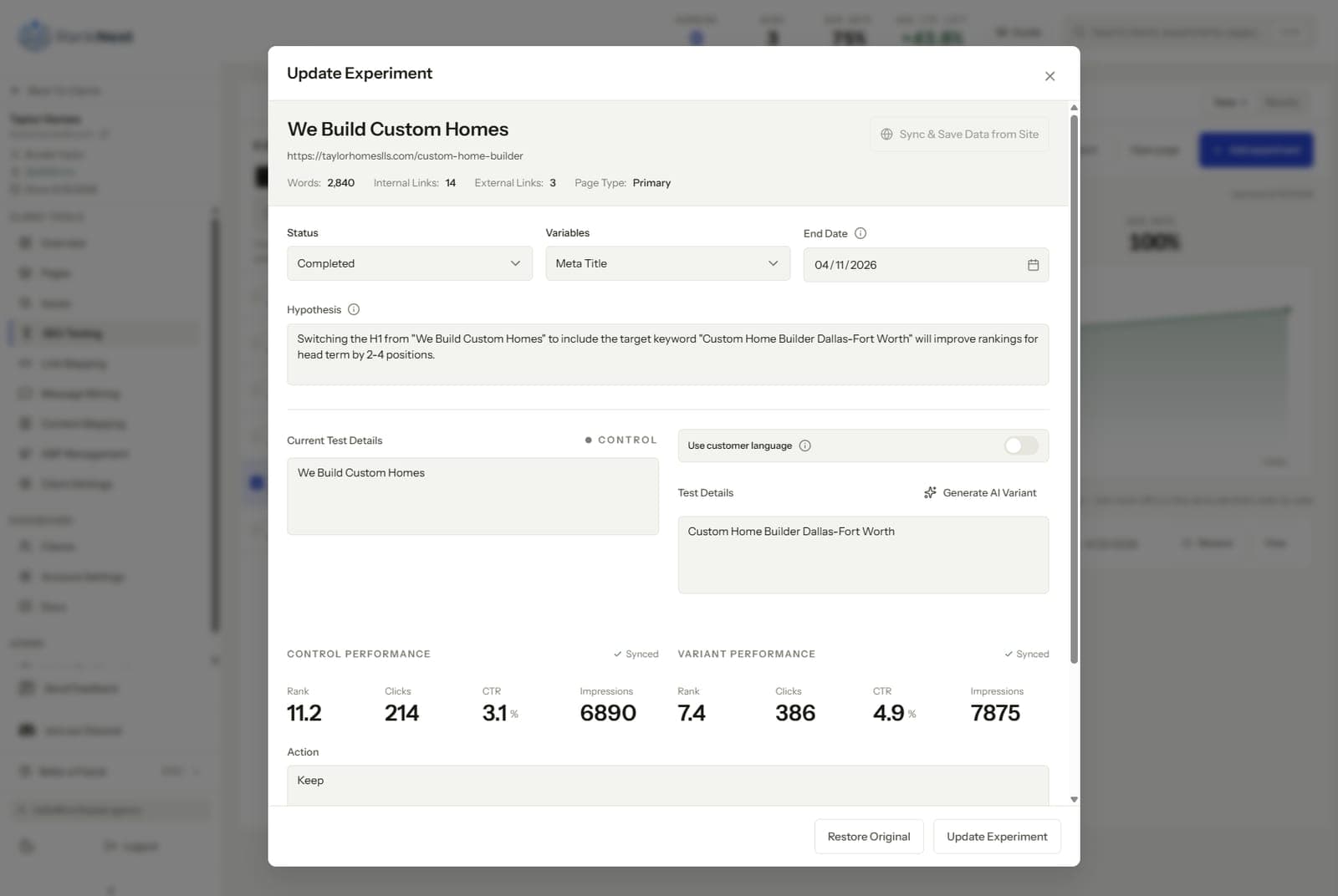
- Decide. Keep, revert, or extend the window, then log the result.
The log is the asset. Keep it wherever the client's context lives, we keep each client's experiments in a workspace connected to their GSC property so the history survives staff changes on both sides. An agency's test log from 2 years ago should still be answering questions today.
A worked example, start to finish
Here is what one test looks like in practice, with illustrative numbers.
A roofing client's page for storm damage repair sits at position 7 for its main query. GSC shows 6,200 impressions and 74 clicks over the trailing 28 days, a 1.2 percent CTR, which is weak for position 7. The title reads "Roof Services | Smith Roofing", so the hypothesis writes itself. Changing the title to lead with "Storm Damage Roof Repair" should raise CTR toward 2.5 percent because the listing will finally match the query. That same habit of freezing the baseline on day one is laid out in our SEO client onboarding SOP.
You snapshot the baseline on May 1, ship the new title the same day, and confirm the recrawl in the URL inspection tool on May 3. Then you wait 28 days and touch nothing.
On June 1 the read looks like this. Impressions 6,400, clicks 158, CTR 2.5 percent, position 6.4. The site as a whole moved 3 percent over the same window, so the page beat its own site by a wide margin. Decision, keep the change, roll the same title format out to the client's other service pages as new tests, and log the result.
That is the whole loop. One page, one change, one month, and a line in the client report that no dashboard could have produced.
Reading results honestly
This is where most testing programs quietly rot. A result that flatters you is easy to accept and a result that embarrasses you is easy to explain away. The confound checklist below is how you keep yourself honest, run it on every test before you call a result.
Algorithm updates. If Google rolled out a core update inside your test window, the read is contaminated. Check the update trackers, annotate the date, and either extend the window or rerun the test later.
Seasonality. An HVAC client's traffic doubles in June no matter what you do. Year-over-year comparison and the site-wide trend line are your controls here.
Simultaneous changes. If the client's team edited the page, launched ads on the same queries, or changed the GBP listing during the window, note it. One change per page per window is the rule, and it is the first rule clients break.
Query mix shifts. Average position can look worse because the page started ranking for new, broader queries at low positions. That is a win wearing a loss's clothes. Always check position per query, never just the page-level average.
On small sites, forget statistical significance in the formal sense, the volume is rarely there. What you can have is direction, magnitude, and repetition. A title format that produced a CTR lift on 6 of 8 clients is a finding you can act on, even if no single test would survive a statistics exam.
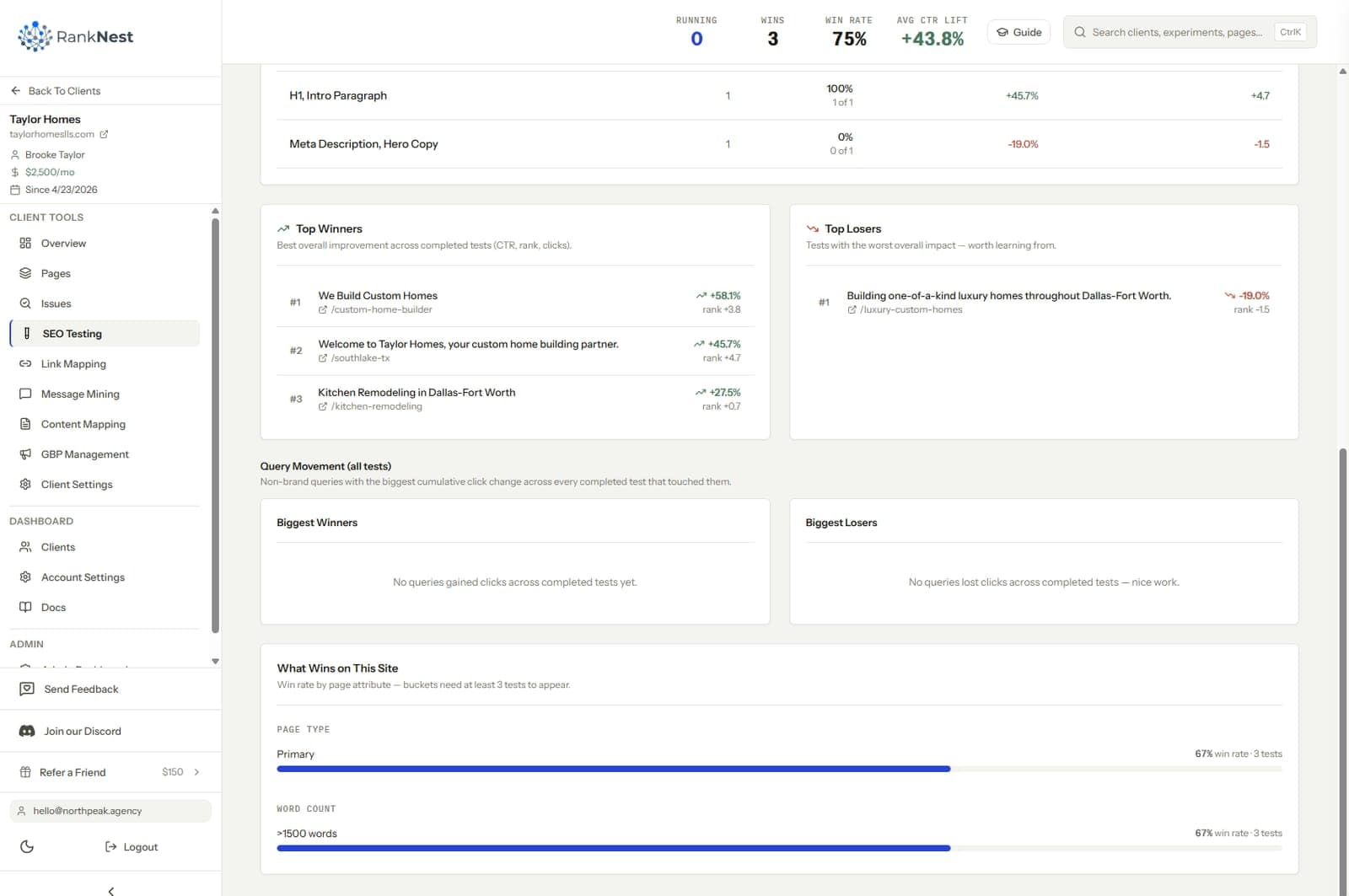
And accept losses in public. A meaningful share of our tests move nothing, and some move the wrong way. Reverting a loser inside two weeks is a better story at renewal than a quarter of unmeasured activity, because it shows the client the system catches mistakes.
Turning results into client-facing wins
A test result only earns retainer value if the client understands it. The format that works is four lines per test, in plain language.
- What we changed, with the date.
- Why we changed it, the one-sentence hypothesis.
- What happened, the before/after numbers for that page.
- What we do next, keep it, revert it, or roll it out to similar pages.
Then translate clicks into the client's own units. For a client who closes 1 in 10 leads at $3,000 per job, 40 extra monthly clicks converting at 5 percent is 2 extra leads, worth about $600 a month. That sentence does more for retention than any ranking chart, and you only get to say it when you have per-change attribution.
Two more habits round it out. Roll individual tests into a quarterly summary, tests run, wins shipped, losses reverted, and what the next quarter's queue looks like. And report the reverted losers alongside the wins, an agency that only ever reports victories trains its clients to distrust the reports.
SEO testing tools, what fits which agency
Testing tools split along the same line as the methodology, group-based platforms for scale and GSC-based trackers for everyone else.
Enterprise split-testing platforms. SearchPilot runs group-based SEO A/B tests and generally needs page sections of 1,000 or more, with pricing that is not public. seoClarity has a split tester inside its enterprise platform. SplitSignal, formerly Semrush's standalone tester, has been folded into Semrush Enterprise. Statsig is a developer experimentation platform with SEO testing documentation, a fit when the client has an engineering team running it. All of these assume scale most agency clients lack.
GSC-based before/after tools. SEOTesting.com tracks time-based tests and split tests against Search Console data at an SMB-friendly price, aimed mostly at individual site owners. RankNest, which we build, runs the same GSC-baseline experiment workflow inside multi-client workspaces, so the test log sits next to each client's link maps, audits, and reporting rather than in a separate tool. That placement is the agency difference, testing as part of the delivery system instead of another tab.
The spreadsheet. GSC exports plus a disciplined template genuinely work at low volume. Agencies usually outgrow it somewhere around 3 or 4 clients, when unlogged tests and missed baselines start costing more than software would.
Common SEO testing mistakes
- Changing three things at once, then arguing about which one worked. One change per page per window.
- Calling results in the first week. Google needs time to recrawl and settle, early deltas are mostly noise.
- Skipping the site-wide comparison and taking credit for a tide that lifted every page.
- Testing pages with 10 clicks a month and expecting a readable signal in 28 days.
- Treating one result as a law. A winner on one client is a hypothesis for the next client, nothing more.
- Hiding losing tests. The credibility you lose when a client finds one outweighs every win in the report.
FAQ
How long should an SEO test run?
Run at least 28 days after Google has recrawled the change, and 6 to 12 weeks on lower-traffic pages. Shorter windows mostly measure noise. If a core update lands mid-window, extend the test or rerun it.
What is the difference between SEO A/B testing and CRO A/B testing?
CRO tools like Optimizely split human visitors between two page versions in the browser. SEO tests split pages, or time periods, because you cannot show Google two versions of one URL. Cloaking a variant to Googlebot violates Google's guidelines, so SEO testing measures search performance across pages or across time instead.
How many pages do you need for SEO split testing?
Enterprise platforms generally want sections of about 1,000 similar pages with steady traffic, and SearchPilot works at that scale. Below that, group-versus-group math gets too noisy to trust. Smaller sites should use time-based before/after testing against a GSC baseline instead.
What should you test first on a client site?
Start with title tags on pages ranking in positions 4 through 15 with high impressions and weak CTR. Those tests are free to ship, reversible, and tend to show results inside a month. Internal link additions to underlinked money pages are a close second.
How do you know a result was your change and not an algorithm update?
Compare the tested page against the site-wide trend over the same window, your change should beat the tide, not ride it. Check whether a confirmed Google update overlapped the test and annotate it if so. Repetition is the strongest defense, a change that wins on several pages or several clients is unlikely to be coincidence.